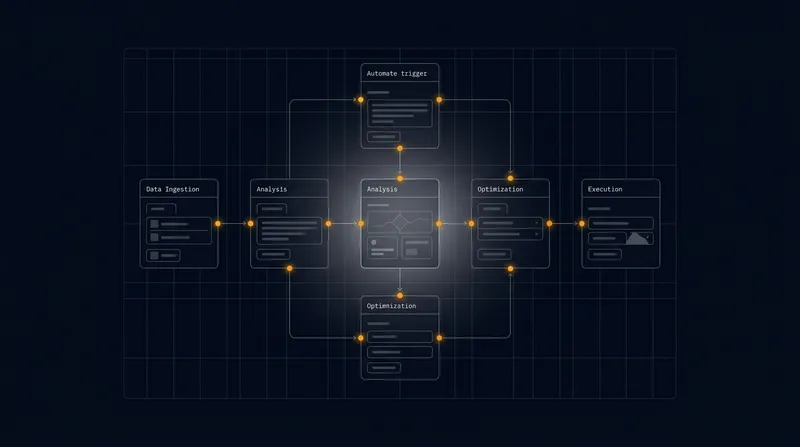
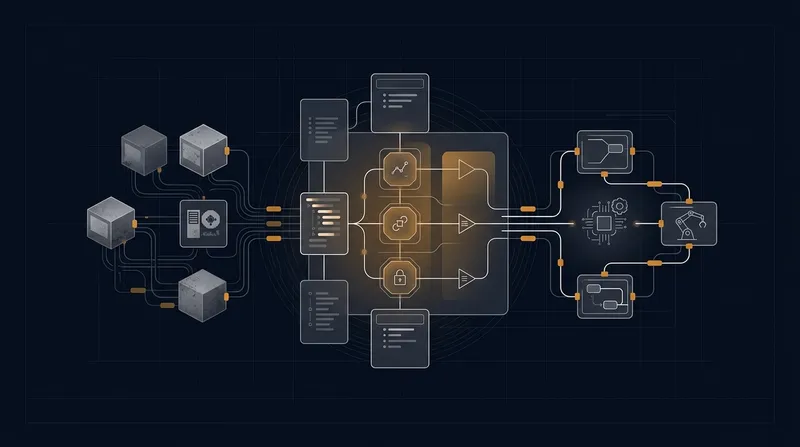
A.I. PRIME - Article
Blueprinting Autonomous Workflows: From Process Mapping to Deployment
Master automation blueprinting to transform legacy workflows into governed, intelligent autonomous systems that drive efficiency.

Enterprise leaders face a persistent challenge: legacy workflows consume resources, introduce delays, and create friction across departments. Yet the path from identifying inefficient processes to deploying autonomous solutions remains opaque for many organizations. How do you translate a decades-old manual process into a governed, intelligent workflow without disrupting operations or introducing new risks? This is where automation blueprinting becomes essential. A structured approach to process discovery, decomposition, and deployment transforms the way enterprises modernize their operations, accelerating time-to-value while maintaining control and compliance. This guide walks you through a proven framework that bridges the gap between business intent and autonomous execution.
Understanding Automation Blueprinting in Enterprise Context
Automation blueprinting is more than process documentation - it's a strategic discipline that translates business requirements into executable, governed autonomous workflows. Unlike traditional process mapping, which focuses on visualization and compliance documentation, automation blueprinting emphasizes decomposition, dependency analysis, and deployment readiness. The distinction matters because it shapes how organizations approach modernization. Learn more in our post on Investment Signals: What VC and Enterprise Spending in 2025 Means for Automation Buyers.
In mid to large enterprises, legacy workflows are often distributed across multiple systems, teams, and decision points. A single process might involve manual handoffs between departments, conditional logic embedded in email chains, and approval gates that exist primarily for audit trails. When you apply automation blueprinting, you're not simply automating what exists - you're reimagining how work flows while preserving the governance frameworks that keep operations compliant and secure.
The business case is compelling. Organizations that follow a structured automation blueprinting approach report 40 - 60% reductions in process cycle time, lower error rates, and faster ROI on automation investments. More importantly, they reduce the integration friction that typically derails digital transformation initiatives. By mapping dependencies upfront and identifying governance requirements early, teams avoid costly rework and scope creep during deployment.
Automation blueprinting bridges the gap between business intent and technical execution, ensuring that autonomous workflows are not just efficient, but aligned with organizational strategy and compliance requirements.
The framework presented here is designed for Chief Digital Officers, CTOs, and operations leaders who need to translate strategic automation initiatives into tangible business outcomes. It assumes you have existing processes to modernize, multiple stakeholders to coordinate, and a need to balance speed with governance.

Phase One: Discovery and Current State Assessment
The discovery phase establishes the foundation for successful automation blueprinting. Without a clear understanding of current state processes, you risk automating inefficiencies rather than eliminating them. This phase typically involves three interconnected activities: stakeholder engagement, process observation, and data collection. Learn more in our post on Change Management for Automation: Engaging Stakeholders and Building AI Fluency.
Stakeholder Engagement and Requirement Gathering
Begin by identifying all stakeholders involved in the target process. This includes process owners, end users, compliance officers, IT teams, and business analysts. Each group brings different perspectives on what the process should accomplish and what constraints it must respect.
Conduct structured interviews with representatives from each stakeholder group. Rather than asking open-ended questions about "how the process works," focus on specific scenarios: What happens when an exception occurs? Who makes decisions and based on what criteria? What compliance requirements must be met? Which steps create the most friction? What data is required at each stage?
Document both the formal process - what the documentation says should happen - and the actual process, which often includes workarounds, shadow systems, and informal approval mechanisms. This gap between formal and actual processes is where inefficiencies hide and where automation opportunities emerge.
Process Observation and Workflow Mapping
Move beyond interviews to direct observation. Have team members shadow process owners as they execute real workflows. Watch for decision points, conditional branches, manual data entry tasks, and wait states. Note which steps add value and which exist primarily for control or compliance.
Create a visual process map that captures the current state workflow. Use standard flowchart symbols to represent activities, decision points, parallel processes, and handoffs. Include timing information - how long does each step typically take? Where do bottlenecks occur? Identify activities that are candidate automation targets: repetitive tasks, rule-based decisions, data transformations, and system-to-system handoffs.
Pay particular attention to exception handling. In many legacy processes, the happy path is straightforward, but exceptions - order cancellations, missing data, approval denials - trigger complex manual interventions. Autonomous workflows must handle exceptions gracefully, so understanding exception patterns is critical.
Data and System Inventory
Create a comprehensive inventory of systems, data sources, and data flows involved in the process. Document which systems hold authoritative data, how data moves between systems, and where manual data entry occurs. Identify API capabilities, data formats, and integration patterns.
Assess data quality. Are customer records consistent across systems? Do product codes match between inventory and order management systems? Are timestamps reliable? Data quality issues often force manual intervention, and automation blueprinting must account for data remediation.
Document access controls and security requirements. Which systems require authentication? What data sensitivity classifications apply? Are there audit logging requirements? These constraints shape how autonomous workflows can interact with systems and data.
Phase Two: Process Decomposition and Dependency Mapping
With current state understanding established, the next phase focuses on decomposing the process into components suitable for autonomous execution. This is where automation blueprinting diverges most sharply from traditional process mapping. Rather than simply documenting what exists, you're designing what could be. Learn more in our post on Step-by-Step: Mapping Processes Before Automating with AI.
Breaking Down Monolithic Workflows
Enterprise processes often exist as monolithic workflows spanning multiple departments and systems. A sales order process, for example, might encompass order entry, inventory validation, credit check, fulfillment scheduling, and invoice generation. Automation blueprinting requires breaking these into discrete, independently executable components.
Each component should represent a logical unit of work that can be owned by a specific team and automated independently. The order entry component might be owned by sales operations, while inventory validation is owned by supply chain. This decomposition enables parallel development and deployment, reducing overall implementation time.
Apply the single responsibility principle from software engineering. Each component should have a clear, well-defined purpose. If a component has multiple purposes or touches multiple domains, decompose it further. This makes components easier to test, maintain, and modify when business rules change.
Document the inputs, outputs, and success criteria for each component. What data does it require? What does it produce? How does it know if it succeeded? Clear definitions prevent misunderstandings during implementation and enable teams to develop and test components in parallel.
Identifying and Mapping Dependencies
Dependencies are the connective tissue of any complex workflow. Component A might depend on data produced by Component B, or Component C might require approval from a governance gate before proceeding. Identifying dependencies early prevents surprises during deployment.
Create a dependency matrix that shows which components depend on which others. Include both data dependencies - Component A requires output from Component B - and control dependencies - Component A cannot begin until Component B completes. Also map external dependencies, such as third-party APIs or regulatory approval processes.
Classify dependencies by type and risk level. Hard dependencies must be resolved before deployment; soft dependencies might be addressed in later phases. High-risk dependencies - those involving critical data or compliance - require more rigorous testing and governance.
Use dependency mapping to identify opportunities for parallelization. If Component A and Component B have no dependencies on each other, they can execute simultaneously, reducing overall process cycle time. Conversely, long dependency chains indicate opportunities to redesign the workflow for greater concurrency.
Dependency mapping reveals the true structure of your processes. By identifying which components truly depend on each other - versus which are sequenced out of habit - you unlock opportunities to accelerate workflows and reduce cycle time.
Governance and Control Point Definition
Autonomous workflows still require governance. Unlike traditional processes where humans make decisions at control points, autonomous workflows execute business rules and escalate exceptions. Define governance requirements for each component and control point.
Identify approval gates that must remain human-controlled for compliance or risk management reasons. In financial processes, certain transaction values might always require human approval. In healthcare workflows, treatment decisions might need clinical review. Document these requirements explicitly.
Define escalation criteria. When should an autonomous workflow pause and request human intervention? If a customer's credit score is borderline, should the workflow approve the order, deny it, or escalate for manual review? Establishing these thresholds upfront prevents scope creep during implementation.
Plan for audit and compliance logging. Autonomous workflows must be as auditable as manual processes. Document what events must be logged, what data must be captured, and how long logs must be retained. This is especially critical in regulated industries like finance, healthcare, and telecommunications.
Phase Three: Autonomous Workflow Design and Governance Integration
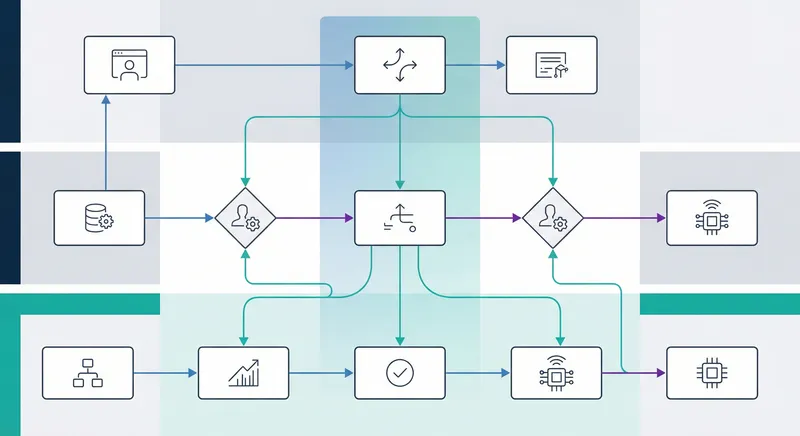
With processes decomposed and dependencies mapped, you're ready to design the autonomous workflows themselves. This phase bridges business requirements and technical implementation, creating specifications that development teams can execute against.
Designing Agent-Based Workflow Architecture
Modern autonomous workflows leverage intelligent agents - specialized components that execute specific tasks, make decisions based on business rules, and coordinate with other agents. Rather than a linear workflow, think of autonomous processes as networks of agents collaborating to achieve business outcomes.
For each decomposed process component, design the agent that will execute it. Define the agent's capabilities - what actions can it take? What data can it access? What decisions can it make autonomously versus what requires escalation? Specify the agent's interfaces - how does it receive work? How does it communicate status? How does it hand off to other agents?
Consider the agent's learning and adaptation capabilities. Can it improve its decision-making based on outcomes? Should it flag patterns that suggest business rule changes? As your autonomous workflows mature, agents that learn and adapt provide increasing value.
Plan for agent orchestration. If your process involves multiple agents, how do they coordinate? Do they follow a choreography pattern where each agent knows how to interact with others? Or do you use a centralized orchestrator that directs agent activities? The orchestration pattern affects scalability, resilience, and operational complexity.
Embedding Governance and Guardrails
Governance isn't an afterthought in autonomous workflows - it must be embedded from design. This means building in checks, balances, and escalation mechanisms that ensure autonomous execution remains aligned with organizational policies and risk tolerance.
Define guardrails for each autonomous agent. What actions is the agent permitted to take? What limits apply to decisions? For a procurement agent, guardrails might include: "Approve purchase orders under $5,000 from approved vendors; escalate orders over $5,000; deny orders from unapproved vendors." These guardrails are expressed as business rules that the agent evaluates before acting.
Implement real-time monitoring and alerting. As autonomous workflows execute, they should continuously report on key metrics: process cycle time, error rates, exception escalations, and business outcomes. When metrics drift from expected ranges, alerts trigger investigation and potential workflow adjustments.
Design exception handling and escalation paths. Despite careful design, exceptions will occur. When they do, the workflow must escalate intelligently. Rather than halting the entire process, escalate specific decisions to the appropriate human authority. A customer service agent might escalate a refund request exceeding $1,000 to a supervisor while continuing to process other orders.
Plan for audit trails and compliance reporting. Every autonomous decision must be traceable - what data was evaluated? What business rules were applied? Why was this decision made? Comprehensive audit trails satisfy compliance requirements and enable continuous improvement by revealing which rules work well and which need adjustment.
Predictive Scoring and Adaptive Routing
Advanced autonomous workflows incorporate predictive elements that anticipate outcomes and route work accordingly. Rather than processing all work through the same workflow, adaptive routing directs work based on predicted characteristics.
For example, in a sales order workflow, predictive scoring might assess the likelihood that a customer will pay on time. High-confidence customers are auto-approved; medium-confidence customers go through standard review; high-risk customers trigger additional verification. This routing reduces unnecessary manual review while maintaining risk controls.
Implement feedback loops that continuously refine predictions. When a customer who was predicted low-risk defaults, that outcome feeds back into the model, improving future predictions. Similarly, when predicted high-risk customers consistently pay on time, the model learns to adjust risk thresholds.
Design for explainability. When an autonomous workflow makes a decision that surprises a stakeholder, they should be able to understand why. Implement logging and reporting that explains which factors influenced each decision. This transparency builds confidence in autonomous systems and helps identify when business rules need updating.
Phase Four: Integration Planning and Technical Architecture
Autonomous workflows don't exist in isolation - they must integrate with existing systems, data sources, and external services. This phase addresses the technical architecture that enables autonomous execution across your enterprise ecosystem.
System Integration and API Assessment
Review the system inventory created during discovery and assess integration capabilities for each system. Which systems have modern APIs? Which require custom integration layers? Are there legacy systems with limited integration options?
Prioritize integration efforts. Systems that are central to your automated process and have good API support should be integrated first. Legacy systems with poor integration options might be candidates for replacement or might require custom middleware.
Define integration patterns for different system types. Cloud-based systems typically support REST APIs or webhooks. Legacy on-premises systems might require file-based integration or database-level access. Event-driven systems can trigger autonomous workflows through event subscriptions. Synchronous systems require direct API calls.
Plan for error handling and retry logic. Network calls fail, systems go down, and APIs change. Your integration architecture must handle these realities gracefully. Implement circuit breakers that prevent cascading failures, exponential backoff for retries, and dead letter queues for messages that can't be processed.
Data Architecture and Real-Time Insight Loops
Autonomous workflows require access to current, accurate data. Design a data architecture that supports autonomous execution while maintaining data integrity and security.
Implement real-time data synchronization for critical data. Rather than autonomous workflows querying multiple source systems, maintain synchronized copies of essential data - customer records, product catalogs, inventory levels - that workflows can access quickly. Use change data capture and event streaming to keep these copies current.
Design insight loops that provide autonomous workflows with contextual intelligence. A customer service agent should know not just what the customer ordered, but their purchase history, support history, and lifetime value. These insights enable more intelligent decision-making and better customer experiences.
Plan for data governance and quality. Autonomous workflows amplify data quality issues - bad data in means bad decisions out. Implement data validation and cleansing as part of your workflow architecture. Flag data quality issues for correction rather than allowing them to propagate through autonomous decisions.
Address data privacy and security. Autonomous workflows often access sensitive data - customer information, financial data, health records. Implement encryption, access controls, and audit logging. Ensure workflows comply with data protection regulations like GDPR and HIPAA.
Deployment Infrastructure and Orchestration
Define the infrastructure that will host and execute autonomous workflows. Will you use a cloud-based workflow platform, containerized microservices, or a hybrid approach? Each has trade-offs in terms of scalability, cost, and operational complexity.
Plan for scalability. Your workflow infrastructure must handle peak loads without degradation. Design for horizontal scaling where possible - adding more instances of a workflow component to handle increased load. Implement load balancing and queue-based processing to decouple workflow components.
Implement comprehensive monitoring and observability. Deploy metrics collection, logging, and distributed tracing so you can understand workflow behavior in production. When performance degrades or errors increase, observability data helps you diagnose the root cause quickly.
Design for resilience and recovery. Autonomous workflows should be fault-tolerant. If a workflow instance fails, it should be able to resume from where it stopped rather than restarting from the beginning. Implement state persistence and idempotent operations so that retries don't cause duplicate work.
The difference between a successful automation deployment and a failed one often comes down to integration planning. By addressing integration challenges upfront rather than discovering them during implementation, you dramatically reduce deployment risk and accelerate time-to-value.
Phase Five: Testing, Validation, and Deployment Milestones
Before autonomous workflows go live, they must be thoroughly tested and validated. This phase establishes quality gates and deployment milestones that ensure workflows perform as designed in production.
Comprehensive Testing Strategy
Develop a testing strategy that covers functional, integration, performance, and governance aspects of your autonomous workflows. Functional testing verifies that workflows execute the intended business logic. Integration testing confirms that workflows correctly interact with external systems. Performance testing ensures workflows meet latency and throughput requirements. Governance testing validates that workflows respect compliance requirements and guardrails.
Test both happy path and exception scenarios. The happy path - the normal, expected flow - is necessary but insufficient. Exception handling is where workflows prove their robustness. Test what happens when external systems are unavailable, when data is missing or invalid, when business rule thresholds are exceeded.
Implement test automation. Manual testing doesn't scale for complex workflows. Develop automated test suites that can be run repeatedly as workflows evolve. Use synthetic data that mirrors production characteristics without exposing real customer information.
Conduct user acceptance testing with business stakeholders. Have process owners and end users validate that autonomous workflows produce correct outcomes and that the user experience is acceptable. Catch usability issues and business logic errors before production deployment.
Pilot Deployment and Validation
Rather than deploying workflows to all users simultaneously, start with a pilot deployment to a subset of users or transactions. This allows you to validate workflow behavior in a production-like environment while limiting exposure to potential issues.
Select pilot participants carefully. Choose power users and early adopters who can provide detailed feedback and tolerate minor issues. Avoid critical customers or high-volume processes for initial pilots. Establish clear success criteria - what metrics indicate the pilot is successful?
Monitor pilot performance closely. Track process cycle times, error rates, exception escalations, and business outcomes. Compare pilot results to baseline metrics from the legacy process. If metrics are better, move forward; if not, investigate why and adjust the workflow design.
Collect qualitative feedback from pilot users. Are they satisfied with the workflow? Do they understand how to work with autonomous agents? What issues have they encountered? Use this feedback to refine the workflow and user experience before broader rollout.
Phased Rollout and Continuous Optimization
Plan a phased rollout that gradually expands autonomous workflow usage. Rather than a big bang deployment, expand in waves - week one covers 10% of volume, week two covers 25%, week three covers 50%, and so on. This approach allows you to validate scalability and catch issues before they affect all users.
Establish rollback procedures. If issues emerge during rollout, you should be able to quickly revert to the legacy process while investigating. Design workflows with feature flags that allow you to disable autonomous execution and fall back to manual processes without disrupting the system.
Implement continuous optimization. Autonomous workflows aren't static - they improve over time as you learn what works and what doesn't. Establish a regular cadence for reviewing workflow performance, analyzing exceptions, and refining business rules. What patterns do exceptions follow? Are there decision thresholds that should be adjusted? Are there new automation opportunities?
Create feedback mechanisms that capture insights from users and systems. When an autonomous decision is overridden by a human, that's valuable feedback that the business rule might need adjustment. When an exception occurs repeatedly, it suggests a new automation opportunity. Build these feedback channels into your operational processes.
Accelerating Time-to-Value: Best Practices and Quick Wins
While comprehensive automation blueprinting takes time, you don't need to complete the entire framework before realizing value. Identify quick wins - processes or process components that can be automated quickly with high impact. These early successes build momentum and organizational confidence in automation initiatives.
Identifying and Prioritizing Quick Wins
Quick wins typically share these characteristics: they're repetitive and rule-based, they have clear success metrics, they don't require extensive integration, and they have high-volume impact. A process that's executed 100 times per day and takes 10 minutes per execution is a better quick win candidate than a process executed once per month.
Look for processes with high error rates or long cycle times. These represent both pain points and opportunities. Automating a process that currently takes 2 hours and has a 20% error rate provides immediate, visible value.
Consider processes that are bottlenecks for other work. If a purchase order can't move forward until an approval is granted, automating that approval process has ripple effects throughout your organization.
Prioritize processes where you already have good system integration and data quality. Avoid automating processes where data is messy or where system integration is complex. These are better suited for later phases after foundational work is complete.
Reducing Integration Friction
Integration challenges are a primary source of automation project delays. Reduce integration friction by starting with systems that have modern APIs and good documentation. Cloud-based systems are typically easier to integrate than legacy on-premises systems.
Invest in middleware and integration platforms that abstract away system-specific details. Rather than building custom integration code for each system, use platforms that provide pre-built connectors and transformation capabilities. This reduces development time and makes workflows easier to maintain as systems evolve.
Implement API gateways that provide consistent interfaces to backend systems. When a system's API changes, you update the gateway rather than updating every workflow that uses that system. This decoupling reduces the ripple effects of system changes.
Build reusable integration patterns. If you've successfully integrated with your ERP system for one workflow, capture that pattern and reuse it for other workflows. This accelerates subsequent integrations and ensures consistency.
Governance That Enables Rather Than Constrains
Governance is essential, but poorly designed governance can slow down automation initiatives. Design governance that enables autonomous execution rather than constraining it. Rather than requiring approval for every decision, use guardrails that define decision boundaries and escalate only exceptions.
Implement lightweight approval processes for governance decisions. If a workflow requires approval before proceeding, make that approval quick and easy. Provide approvers with all necessary context so they can make informed decisions quickly. Mobile-friendly approval interfaces enable approvals from anywhere.
Use predictive governance that anticipates approval requirements. Rather than forcing approvers to manually review every decision, use scoring or risk models to identify which decisions truly require human review. This reduces approval bottlenecks while maintaining necessary controls.
Build feedback loops into governance processes. When business rules change or new compliance requirements emerge, update them in the workflow governance layer. Don't require code changes or system deployments - design governance as configurable business rules that can be updated quickly.
Measuring Success: ROI Tracking and Continuous Enablement
Automation blueprinting investments should deliver measurable business value. Establish metrics and tracking mechanisms that demonstrate ROI and guide continuous improvement.
Key Performance Indicators for Autonomous Workflows
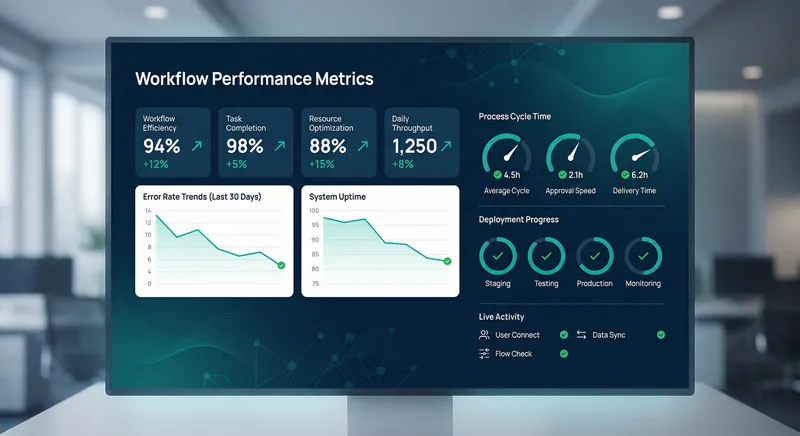
Define KPIs that reflect your automation objectives. Common KPIs include: process cycle time reduction, error rate reduction, cost per transaction, manual effort reduction, and throughput improvement. For customer-facing processes, track customer satisfaction and first-contact resolution rates.
Establish baseline metrics before automation deployment. How long does the current process take? How many errors occur? What's the cost per transaction? These baselines enable you to quantify improvements and calculate ROI.
Implement real-time dashboards that display workflow performance. Rather than waiting for monthly reports, have visibility into how workflows are performing now. Real-time dashboards enable rapid response to issues and provide early warning of performance degradation.
Track leading indicators, not just lagging indicators. Lagging indicators like cost per transaction tell you how you did in the past. Leading indicators like exception rate or approval queue length predict future performance. By monitoring leading indicators, you can intervene before problems impact business outcomes.
Building Organizational Capability and Continuous Enablement
Successful automation requires more than technology - it requires organizational capability. As you deploy autonomous workflows, invest in training, documentation, and support that enable teams to work effectively with them.
Develop training programs tailored to different audiences. Business users need to understand how to interact with autonomous workflows and what to do when exceptions occur. Operations teams need to understand how to monitor workflows and respond to issues. IT teams need to understand the technical architecture and how to maintain it.
Create comprehensive documentation that captures workflow design, business rules, integration points, and operational procedures. Make documentation easily searchable and keep it current. When team members need to understand a workflow or troubleshoot an issue, good documentation accelerates resolution.
Establish centers of excellence or automation communities of practice. Bring together people across your organization who are working on automation initiatives. Share learnings, standardize approaches, and build institutional knowledge about what works and what doesn't.
Plan for continuous enablement as your automation portfolio grows. As you deploy more workflows, your organization's automation maturity increases. Invest in training that helps teams leverage more advanced capabilities - predictive scoring, adaptive routing, self-healing workflows - as they become ready.
The organizations that realize the greatest value from automation are those that treat it as a continuous journey rather than a one-time project. They measure results, learn from experience, and continuously refine their approaches.
Overcoming Common Automation Blueprinting Challenges
Even with a solid framework, automation blueprinting projects encounter predictable challenges. Understanding these challenges and how to address them increases your likelihood of success.
Stakeholder Alignment and Change Management
Automation changes how work gets done. Some stakeholders embrace this change; others resist it. Resistance often stems from fear of job loss, concerns about losing control, or simple inertia - "we've always done it this way."
Address resistance through transparent communication. Explain why automation is necessary - what competitive pressures or cost challenges drive the initiative? Demonstrate how automation improves work rather than eliminating it. Show how it reduces tedious, repetitive tasks and enables people to focus on higher-value activities.
Involve stakeholders early in the automation blueprinting process. When people contribute to designing workflows, they develop ownership and are more likely to support implementation. Involve process owners in decomposition, business analysts in governance design, and IT teams in architecture decisions.
Plan for role evolution. As automation handles routine work, what do people do? Help teams envision new roles that leverage their expertise in different ways. A customer service representative might transition from processing routine orders to handling complex customer issues or coaching other representatives.
Scope Creep and Feature Bloat
Automation projects often expand in scope as stakeholders identify additional features or enhancements. While some scope expansion is healthy, uncontrolled expansion derails projects and delays time-to-value.
Establish clear scope boundaries at the beginning of each phase. Document what's included and what's explicitly excluded. When new requirements emerge, evaluate them against the project's goals and timeline. Some requirements can be incorporated; others should be deferred to future phases.
Use a phased approach that delivers value incrementally. Rather than trying to automate the entire process perfectly, automate core functionality in the first phase and add refinements in subsequent phases. This approach gets workflows into production faster, generates value sooner, and allows you to incorporate learnings from early phases into later ones.
Implement a change control process. When stakeholders request scope changes, evaluate the impact on timeline and resources. Make conscious decisions about which changes to incorporate and which to defer. This prevents scope creep from derailing your project.
Technical Debt and Maintenance Challenges
Automation workflows, like any software, can accumulate technical debt. Quick implementations that work initially might become difficult to maintain as they're modified and extended. Legacy automation can become as problematic as legacy manual processes.
Build quality in from the start. Invest in code review, automated testing, and documentation. While this takes more time initially, it prevents costly rework later and makes workflows easier to maintain and modify.
Plan for refactoring and maintenance. Allocate time and resources for improving workflow code quality, updating dependencies, and addressing accumulated technical debt. Treat maintenance as an ongoing responsibility rather than something you'll get to "someday."
Monitor workflow complexity. As workflows grow more complex, they become harder to understand and modify. When complexity exceeds a threshold, consider decomposing the workflow into smaller, more manageable pieces. Complexity management is an ongoing discipline.
Stay current with platform updates and new capabilities. Automation platforms continuously evolve, introducing new features and capabilities. Periodically review your workflows to identify opportunities to leverage new platform features that could simplify your implementation or improve performance.
Future-Proofing Your Automation Blueprint
Technology and business requirements change. Design your automation blueprinting approach and resulting workflows to adapt to change rather than become obsolete.
Build modularity and composability into your workflow architecture. Rather than monolithic workflows that are difficult to change, use composable components that can be recombined to address new requirements. When business rules change, you update the rule engine rather than rewriting the entire workflow.
Invest in abstraction layers. Don't hardcode system-specific details into workflows. Use adapters and facades that abstract away system details. When you need to replace a system, you update the adapter rather than rewriting all workflows that use it.
Plan for AI and machine learning integration. As these capabilities mature, they'll become increasingly important in autonomous workflows. Design your architecture to accommodate machine learning models that can be updated and improved over time. Think about how predictive models could enhance decision-making in your workflows.
Stay informed about emerging technologies and practices in automation and AI. What's possible today evolves rapidly. Periodically reassess your automation strategy to identify new opportunities and new capabilities that could benefit your organization.
Conclusion: From Blueprint to Business Impact
Automation blueprinting bridges the gap between business intent and autonomous execution. By following a structured framework - from discovery and process decomposition through integration planning, testing, and deployment - you transform legacy workflows into governed, intelligent systems that drive operational efficiency and competitive advantage.
The stakes are high. Organizations that successfully modernize their processes through automation gain significant advantages: lower costs, faster cycle times, improved quality, and better customer experiences. Organizations that fail to modernize face increasing pressure from more agile competitors and rising operational costs.
At A.I. PRIME, we partner with enterprises to execute this transformation. Our automation blueprinting services combine strategic business analysis with deep technical expertise to design workflows that work. We help you discover optimization opportunities, decompose complex processes into manageable components, design governance frameworks that enable rather than constrain, and deploy workflows that deliver measurable ROI.
Whether you're just beginning your automation journey or scaling an existing program, we help you navigate the complexities of process transformation. Our approach balances speed with quality, innovation with governance, and ambition with pragmatism. We've helped mid to large enterprises across finance, healthcare, manufacturing, and other sectors reduce process cycle times by 40 - 60%, lower error rates significantly, and accelerate time-to-value from automation investments.
The path from legacy processes to autonomous workflows is clear. The framework is proven. What remains is execution. If your organization is ready to transform how work gets done, to leverage AI and intelligent automation to drive competitive advantage, let's talk about your automation blueprint. Contact A.I. PRIME today to discuss your process modernization challenges and explore how structured automation blueprinting can accelerate your digital transformation journey.
Next step
Book the Opportunity Sprint