A.I. PRIME - Article
Deploy Faster: Your Q3 Agent Prompts and Workflow Template Library
Accelerate Q3 deployments with ready-to-use agent prompts and workflow templates designed for rapid lead qualification, support triage, and operational.

Launching focused sprints in August and executing rapid Q3 deployments requires more than ideas. Founder-led teams need reusable, tested assets that reduce friction and accelerate delivery without adding complexity. This template library brings together vetted agent prompts, workflow blueprints, and integration patterns tailored for support, sales, operations, and product teams prepping for Q3 initiatives. The goal is straightforward: give your team a predictable starting point so you can customize instead of building from scratch and measure results in real time.
This post is a practical resource designed to help you adopt agent prompts and workflow templates that are ready to deploy in short cycles. You will find proven prompt patterns, blueprint sequences translated into step-by-step workflows, and lightweight integration patterns you can drop into your automation stack. Every recommendation emphasizes reliability, observability, and easy iteration. If you are running August sprints and need to hit Q3 goals, these templates are calibrated to shorten feedback loops and improve predictability across trials and rollouts.
Why a Dedicated Template Library Matters for Q3
Teams often waste sprint capacity reinventing obvious parts of a solution. A curated template library helps you reuse validated building blocks and focus on what makes your business unique. When it comes to agent prompts and workflow templates, the library serves three core purposes. First, it codifies patterns that produce consistent outputs. Second, it reduces onboarding time for new team members and contractors. Third, it provides clear checkpoints for testing and iteration during short deployment windows. Learn more in our post on Template Library: Ready‑to‑Deploy Agent Prompts and Workflow Blueprints for Q3 Initiatives.
For Q3 initiatives, you need speed without sacrificing control. Agent prompts and workflow templates deliver both by packaging intent, constraints, and execution logic together. Instead of asking team members to draft prompts and glue flows from scratch, they can pick a template, adjust a few parameters, and run a quality gate. This approach reduces variance in results and makes it easier to measure performance across multiple campaigns, support interactions, or operational tasks.
Finally, a template library encourages experimentation at scale. Teams can A/B test different prompt variations and flow structures while maintaining a common observability layer. That means faster insight into what works and where to invest in prompt tuning or additional automation. For organizations that must deliver measurable outcomes in Q3, this is a practical advantage that compounds over time.
Core Components of Effective Agent Prompts and Workflow Templates
Every template in the library is composed of discrete components that make it predictable and extensible. Understanding those components helps you adapt templates to new use cases while preserving quality. The primary components include intent definition, context packaging, action specification, guardrails, and observability hooks. When you assemble agent prompts and workflow templates, make sure each component is explicit and testable. Learn more in our post on Deploy Dynamic Workflow Optimization to Drive Continuous Operational Gains.
Intent definition is the high-level objective you want the agent to accomplish. It should be concise and measurable. For example, "qualify inbound leads and route to sales" is clearer than "process leads." Context packaging includes the relevant data and constraints that orient the agent. This can include customer data, recent activity logs, business rules, or product information. Action specification enumerates the steps the agent should take, including any integrations with external systems, APIs, or internal tools.
Guardrails protect against unwanted output and define acceptable failure modes. They include token limits, content filters, policy checks, and post-processing rules. Observability hooks record inputs, outputs, and intermediate states so you can evaluate performance and diagnose issues. Together, these components form a robust scaffold for agent prompts and workflow templates that can be used across support operations, lead qualification, content generation, and operational automation.
Designing for Maintainability and Reuse
Modularity is key. Build templates so that intent, context, and action sections can be replaced independently. Use parameterization for aspects that change often, such as persona tone, target metrics, or customer segment. Version control your templates and store changelogs so teams can trace why a variation was introduced. This makes it practical to keep a large library of agent prompts and workflow templates up to date without introducing regressions.
Document expected inputs and outputs for each template. Include example runs and test cases that validate core behaviors. That documentation reduces cognitive load for teams adopting the templates during the fast cycles typical of August sprints. Clear tests and sample runs are the difference between a template that seems promising and one that is actually usable in production. Store examples alongside templates so they are always in sync.
Ready-to-Deploy Agent Prompts: Templates You Can Use Today
Below are curated agent prompts that you can adapt for common Q3 tasks. Each template includes a short description, recommended context fields, and a sample prompt body. Use these as starting points in your automation platform. They are intentionally pragmatic to support rapid iteration during short deployments and are aligned to the workflows that drive measurable outcomes for B2B teams. Learn more in our post on Designing Playbooks: Template Library for Common Enterprise Use Cases.
1. Lead Qualification and Routing Agent
Purpose: Evaluate inbound leads against your ideal customer profile, assign a qualification score, and route to the appropriate sales team member or nurture sequence.
Context fields: lead contact info, company details, engagement history, ICP criteria, sales team capacity, product fit signals.
Sample prompt body: Evaluate this lead against our ICP. Provide a qualification score from 1 to 10, explain the reasoning, identify the strongest product fit, and recommend the next action (immediate sales outreach, nurture sequence, or pass). Include any data gaps that would improve the assessment.
This template is ideal for sales and operations teams that need consistent lead evaluation fast. It reduces back-and-forth between sales and marketing and provides a documented scoring rationale for every lead. Integrate the output directly into your CRM so leads are routed automatically based on the recommendation.
2. Support Response and Escalation Template
Purpose: Draft empathetic, on-brand replies for support requests and automatically flag cases that need escalation or specialist review.
Context fields: customer message, product context, tone guidelines, previous interactions, known issues, escalation rules.
Sample prompt body: Create a response that acknowledges the customer concern, explains the likely cause or next steps, offers immediate troubleshooting or a workaround if applicable, and includes a clear next action. Keep the tone friendly and concise. If the issue appears to be a product bug or requires specialist review, flag it for escalation with your reasoning.
This template helps scale consistent support while ensuring tone and escalation policies are enforced. Add a human review step for escalations or sensitive cases to prevent incorrect disclosures. Track response time and customer satisfaction to measure improvement over time.
3. Campaign Brief and Asset Generator
Purpose: Produce a concise marketing brief with target audience, messaging pillars, asset requirements, and launch checklist.
Context fields: product name, persona profile, campaign goals, channels, budget, launch date, previous campaign performance.
Sample prompt body: Create a campaign brief. Provide a headline, three messaging pillars, a short customer persona statement, prioritized channel actions, required assets with specifications, and a two-week launch checklist with owners and acceptance criteria.
This generator is ideal for marketing and product teams that need consistent campaign artifacts fast. It reduces back-and-forth and provides a documented starting point for creative work. Capture the prompt output in your repository and attach metadata that connects the brief to the relevant initiative so you can track which prompts produced the best engagement later.
4. Technical Runbook Creator
Purpose: Convert incident context into a runbook with reproducible recovery steps, diagnostic commands, and post-incident analysis tasks.
Context fields: incident summary, recent logs, affected services, error codes, current remediation attempts, known similar incidents.
Sample prompt body: Given the incident details, produce a step-by-step runbook that includes immediate mitigation, full diagnostic checks, rollback options, and a post-incident checklist for root cause analysis. Format for quick scanning by on-call engineers.
This template helps engineering and operations teams standardize incident response and scale knowledge transfer during on-call rotations. Integrate the output into your incident management system so engineers can act quickly and record outcomes for continuous improvement.

Workflow Blueprints for Common Q3 Initiatives
Blueprints translate prompt outputs into orchestration steps. A workflow blueprint details triggers, data flows, decision points, and integration calls. For Q3 initiatives, you will commonly use three blueprint patterns. The first is the lead-to-customer pipeline. The second is the support triage and escalation flow. The third is the incident response and runbook automation sequence.
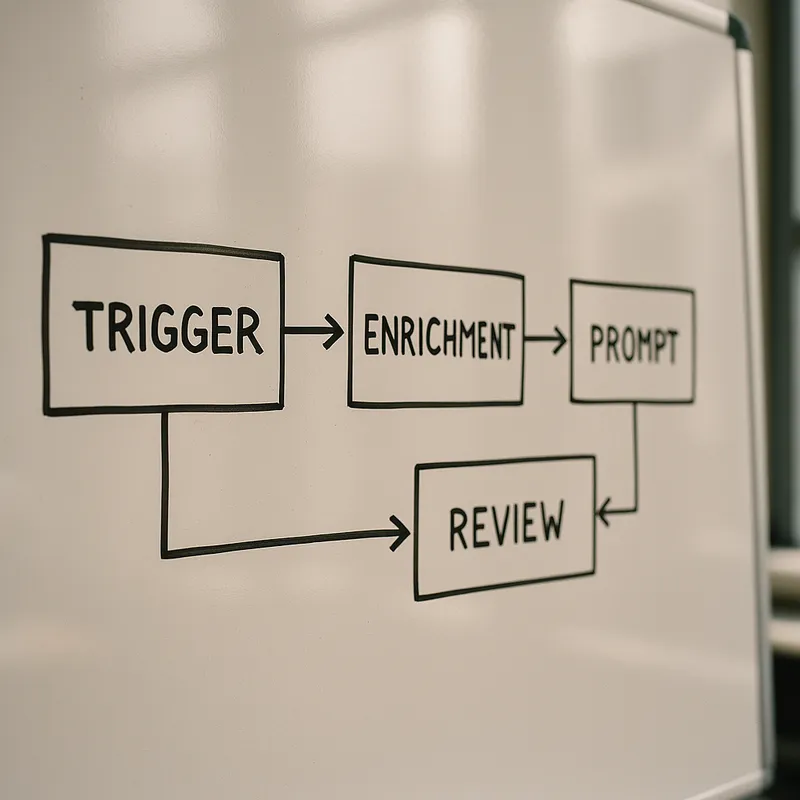
Lead-to-customer pipelines combine agent prompts with qualification gates and routing logic. The blueprint typically includes a lead ingestion trigger, context enrichment from your CRM or forms, a qualification prompt, a routing decision based on score, and an assignment action. Each action should emit events so you can track conversion rates, time to assignment, and qualification accuracy. These metrics help you improve the pipeline between August sprints and final Q3 revenue goals.
Support triage workflows use an inbound message trigger to capture customer requests, a context enrichment step to assemble customer history and product details, an agent prompt to generate a response and flag escalations, and a human validation step for sensitive or escalated cases. This pattern reduces response time by presenting support teams with a drafted response instead of requiring them to start from zero, while maintaining quality control.
The incident response workflow connects monitoring alerts to runbook generation and execution. When an alert fires, a context collector assembles logs and telemetry, an agent prompt generates immediate remediation steps, a human validation step confirms the actions are safe, and an execution service applies the fix. This closes the loop between detection and resolution so teams can act with confidence during outages.
Blueprint Example: Lead Qualification and Sales Handoff Pipeline
Step 1 Trigger: New lead submitted via form, email, or API integration.
Step 2 Context Enrichment: Pull company details from enrichment APIs, retrieve sales team availability, and load ICP criteria.
Step 3 Qualification Prompt: Use the Lead Qualification Agent to score and recommend routing.
Step 4 Routing Decision: Route based on score and team availability. High score and available sales rep triggers immediate assignment. Medium score triggers nurture sequence. Low score triggers archive.
Step 5 Assignment and Notification: Assign to sales rep and send notification with lead summary and recommended talking points.
Step 6 Measurement: Log lead score, routing decision, and time to assignment for performance tracking.
By codifying these steps into agent prompts and workflow templates, you minimize manual handoffs and increase throughput during compressed timelines. The blueprint also makes it simple to add automated checks like duplicate detection or compliance screening before assignment.
Integration Patterns and Deployment Checklist
Templates are only useful when they connect to your systems. Below are lightweight integration patterns and a checklist to help you deploy agent prompts and workflow templates in a safe and repeatable manner. The patterns are described conceptually so you can adapt them to your automation tool, API stack, or internal codebase.
Integration pattern 1: Trigger to context collector. Use webhooks or scheduled events to initiate the flow. The collector aggregates required context fields from your CRM, knowledge base, product database, or support system and normalizes data for the agent. Include rate limiting and retry logic. The collector should log input hashes to enable repeatable tests and debugging.
Integration pattern 2: Prompt execution with guardrails. Execute prompts through a protected service that adds guardrails such as token limits, content filters, and policy checks. Include a stamping process that appends a unique execution ID to every prompt call. That ID links execution logs to outputs in your observability stack so you can audit decisions and trace issues later.
Integration pattern 3: Output routing and human-in-the-loop. Route outputs to relevant teams for review based on confidence scores or sensitivity tags. Where possible, present a compact diff view showing how the prompt output changed after iteration or revision. Allow reviewers to accept, request changes, or escalate directly from the review interface without context switching.
Deployment Checklist
Catalog templates and assign owners for each template.
Parameterize inputs and publish example runs for each template.
Implement a guarded execution service that applies policy checks and rate limits.
Attach observability hooks for inputs, outputs, and routing decisions.
Run a set of smoke tests using production-like data and expected edge cases.
Conduct human review on first production runs and collect feedback from end users.
Iterate on prompts and templates based on measured outcomes and user feedback.
Schedule regular audits of template effectiveness and update based on performance metrics.
Following this checklist will help you deploy agent prompts and workflow templates with predictable risk and a clear path to scale. It also makes it easier to retire templates that no longer meet performance expectations or have been superseded by improved versions.
Best Practices, Governance, and Evaluation Metrics
Operationalizing a template library requires lightweight governance. Define a simple approval process for new templates and a retirement policy for obsolete ones. Each template should include owner contact information, a version history, and clear documentation of assumptions. Make it easy to report issues and propose improvements. That reduces the chance that outdated templates cause errors during critical Q3 launches.
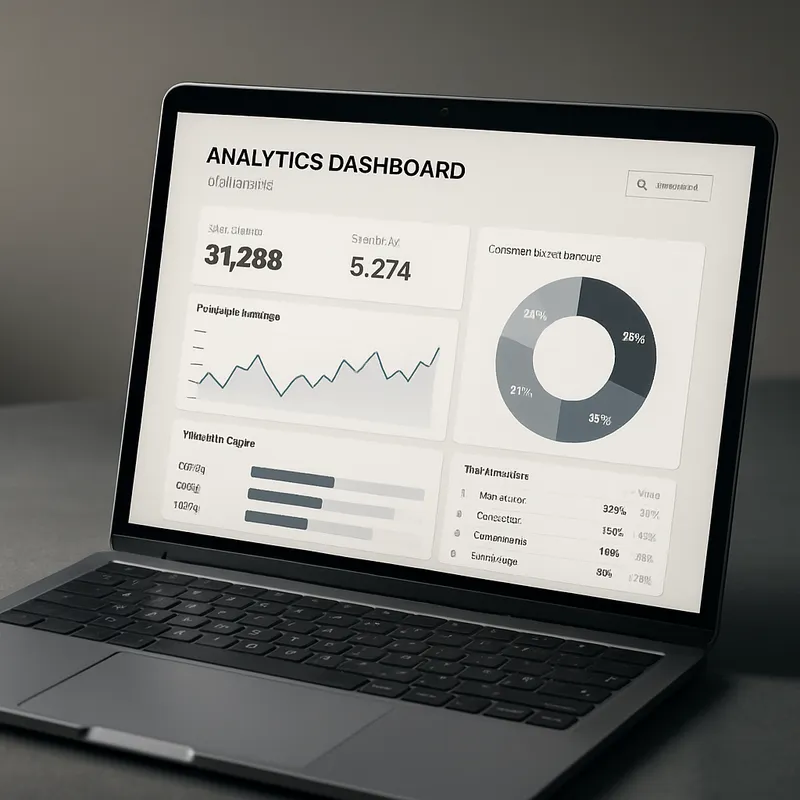
Evaluation metrics are essential. Track template usage, success rate, time saved per execution, and the number of iterations required before approval or handoff. For customer-facing outputs, track engagement metrics such as response rates, conversion rates, and customer satisfaction scores. For operational templates, track mean time to resolution, error rates, and incident recurrence. These metrics let you quantify the impact of agent prompts and workflow templates over time and justify continued investment.
When measuring quality, use both automated checks and human ratings. Automated measures can include syntactic correctness, length constraints, presence of required fields, and policy compliance. Human ratings evaluate clarity, relevance, tone, and usefulness. Combine both sources for a balanced view. Over time, you can use these scores to prioritize which templates need tuning and which are ready to scale.
Security and Privacy Considerations
Protect sensitive data by minimizing what is sent to prompts. Use redaction and tokenization where possible. Maintain a mapping of data sensitivity for each template to ensure the correct data handling policies are applied. For example, templates that process customer identifiers should enforce least privilege and avoid storing sensitive fields in logs. Observability remains important, but logs should mask or hash personally identifiable information and payment data.
Governance also includes access controls. Limit who can create or execute templates in production. Use role-based access to ensure only authorized owners can update templates. Audit all template changes and executions to provide an accountability trail for Q3 initiatives where timing and compliance are critical. This is especially important if you are handling customer data or operating in regulated industries.
Real-World Playbooks for August Sprints
Playbooks are compact sequences of templates and blueprints designed to deliver a specific Q3 outcome. Below are three playbooks you can implement in an August sprint week. Each playbook pairs agent prompts and workflow templates with minimal human review so teams can validate early and iterate based on real results.
Playbook A: Rapid Lead Qualification and Sales Acceleration
Day 1: Catalog existing leads and run the Lead Qualification Agent on all inbound leads from the past week.
Day 2: Review scores with sales team, adjust ICP criteria if needed, and assign qualified leads to reps.
Day 3: Generate personalized outreach messages using a follow-up prompt and send via email or CRM.
Day 4: Track response rates and collect feedback on lead quality from sales team.
Day 5: Refine ICP criteria and prompt based on feedback, then apply to ongoing lead flow.
This playbook uses agent prompts and workflow templates to reduce cycle time between lead arrival and sales engagement. The scripted sequence clarifies who does what and where the prompts add the most value. Measure conversion rate improvement and time to first contact to quantify impact.
Playbook B: Support Triage and Response Acceleration
Immediate: Inbound support message triggers context collection and response generation.
5 minutes: Support agent reviews drafted response and escalation flag, makes edits if needed.
10 minutes: Response is sent to customer and case is routed based on complexity.
Follow-up: Escalated cases are reviewed by specialists. Resolved cases trigger satisfaction survey.
This playbook reduces cognitive load for support teams and ensures consistent response quality. Use agent prompts and workflow templates to codify best practices and accelerate resolution during peak support periods. Track response time reduction and customer satisfaction improvement to measure success.
Playbook C: Incident Response and Knowledge Capture
Alert fires: Monitoring system detects anomaly and triggers runbook generation.
2 minutes: Technical Runbook Creator generates mitigation steps and diagnostic commands.
10 minutes: On-call engineer reviews runbook and executes remediation.
Post-incident: Runbook is committed to knowledge base and a summary prompt generates follow-up tasks.
This playbook reduces mean time to resolution and ensures institutional knowledge is captured for future incidents. Use agent prompts and workflow templates to scale expertise across your on-call rotation and reduce reliance on specific individuals.
Evaluating and Iterating on Templates
Iteration is fundamental to maintaining a valuable library. Start with a small set of templates and measure outcomes. Use the metrics described earlier to determine which prompts deliver the most value. Encourage teams to propose variations and measure those side by side. Keep a lightweight experiment tracker that records the hypothesis, changes made, and results observed. This makes it easier to scale winning patterns across the organization.
When a template underperforms, ask targeted questions. Are the context fields insufficient? Is the intent ambiguous? Do the guardrails cause over-filtering of valid outputs? Refine with focused A/B tests and maintain a log of modifications. Over time, you will build a taxonomy of prompt patterns that match specific tasks and contexts, which reduces the need for heavy tuning when new initiatives start.
Governance that supports iteration includes scheduled reviews and a clear deprecation path. Mark templates as stable, experimental, or deprecated. Provide guidance on how teams should treat each category. During fast-paced Q3 rollouts, you want teams to be confident about which templates are safe to use without additional approvals and which require caution.
Conclusion
Building a practical template library of agent prompts and workflow blueprints is an effective way to accelerate August sprints and deliver on Q3 initiatives with confidence and measurable results. A well-structured library reduces redundant work, enforces consistent practices, and creates a faster feedback loop between experimentation and measurable outcomes. The templates and blueprints in this post are designed to be both actionable and adaptable so any founder-led team can apply them quickly.
Start with a focused set of templates that solve high-impact problems for your organization. For example, a lead qualification agent, a support response template, and a technical runbook creator are powerful primitives that unlock speed across sales, support, and operations. Pair these prompts with clear blueprint patterns that define triggers, context enrichment, and human-in-the-loop stages. This combination ensures that outputs are not just fast but also reliable and auditable.
Invest in the integration layer and observability from day one. Without logging of inputs and outputs and a clear mapping of template versions to production runs, you will lose the ability to learn at scale. Make sure your deployment checklist is followed and that every template has an owner who can respond to issues and iterate based on feedback. This governance is what separates promising experiments from dependable operational assets during tight Q3 deadlines.
Finally, treat the library as a living system. Collect usage metrics, run A/B tests on prompt variations, and retire templates that no longer serve your goals. Encourage teams to share their prompt improvements and use a lightweight review process to incorporate high-quality variations into the main library. Over time, you will accumulate a set of agent prompts and workflow templates that not only speed execution but also raise the overall quality of outputs across support, sales, and operations.
If you take a pragmatic, measured approach to building and governing your template library, you will find that your team can move from ideation to impact much more quickly during Q3 initiatives. The combination of ready-to-deploy prompts, clear blueprints, and safe integrations is how high-performing founder-led teams scale reliable automation and operational output without losing control. Use the examples and checklists in this post as a starting point and iterate based on real results from your August sprints. The library will pay dividends throughout the quarter and beyond.
Next step
Book the Opportunity Sprint