A.I. PRIME - Article
Troubleshooting Self-Healing Workflows: Common Failure Modes and Fixes
<Troubleshooting guide for self-healing workflows covering common failure modes-detection, remediation, drift, dependencies, observability-plus.


Self-healing workflows promise to reduce manual toil, increase system resilience, and accelerate recovery from failures. When designed and implemented well, they can detect issues, take corrective action automatically, and restore service without human intervention. However, like any automated system, self-healing workflows can fail, misfire, or create new problems when underlying assumptions don't hold. This post provides an in-depth, practical guide to diagnosing and fixing common failure modes in self-healing workflows, with actionable recommendations to make them safer, more predictable, and easier to maintain.
Whether you are building self-healing automation in a cloud-native environment, traditional IT stack, or hybrid systems, this article will help you systematically identify root causes and apply proven fixes. We’ll cover detection and remediation failures, configuration drift, cascading dependencies, observability gaps, and operational best practices. Expect diagnostic steps, patterns to avoid, and a checklist you can apply immediately.
Understanding Self-Healing Workflows: Components and Assumptions
Before diving into failure modes, it’s essential to identify the core components that make up a self-healing workflow and the assumptions those components rely on. At a high level, a self-healing workflow comprises: Learn more in our post on Sustainability and Efficiency: Environmental Benefits of Automated Workflows.
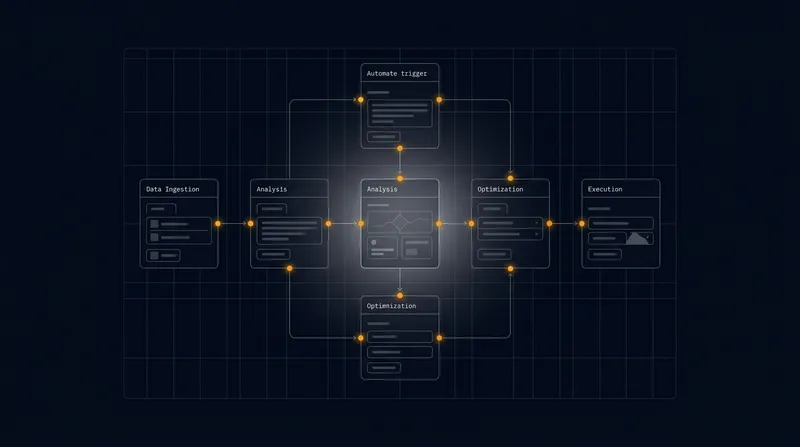
- Monitoring and detection mechanisms that identify deviations from expected behavior (metrics, logs, traces, synthetic checks).
- A decision layer that evaluates whether an automated action should be taken (rules engines, policies, ML models).
- Remediation actions that attempt to resolve the issue (restarts, rollbacks, scaling operations, configuration fixes).
- Verification steps that confirm the action fixed the problem (health checks, smoke tests, canary validation).
- Escalation and human-in-the-loop processes when automation cannot resolve the issue safely.
Common assumptions include that detection is timely and accurate, remediation actions are idempotent and safe, dependencies are accessible, and observability provides enough context to validate outcomes. When any of these assumptions are violated, workflows can fail. Knowing these components and assumptions helps focus troubleshooting efforts: identify which component’s behavior diverges from expectation, and isolate the root cause.
It’s also crucial to treat self-healing workflows as software systems that require testing, versioning, monitoring, and governance. Design choices - such as whether the system has a human approval step, how aggressive automatic remediations are, and how it handles repeated failures - significantly affect reliability and risk profiles.
Common Failure Modes and How to Recognize Them
Self-healing systems can exhibit a wide variety of failure modes. Below are the most common categories, how they manifest, and quick diagnostic indicators you can use to detect them. Learn more in our post on Troubleshooting Guide: Common Failure Modes in Multi‑Step Agent Workflows and Fixes.
1. Detection Failures: False Positives and False Negatives
Detection failures occur when the monitoring or alerting layer incorrectly judges system state. False positives trigger unnecessary remediations, while false negatives miss real incidents.
- Symptoms: Frequent, unnecessary remediations; system oscillation after remediation; alerts not corresponding to outage timelines.
- Root causes: Poorly defined thresholds, noisy metrics, missing context (e.g., transient spikes mistaken for failures), or improperly tuned anomaly detection models.
To diagnose detection issues, cross-reference alerts with raw logs and traces. Use synthetic checks to validate real user paths separately from infrastructure metrics. If a metric is noisy, consider using aggregated or smoothed signals, or augment detection with pattern recognition (rate-of-change, distribution shifts) rather than single-threshold rules.
2. Remediation Failures: Actions That Don’t Fix or Make Things Worse
Remediation failures are perhaps the most visible: an automated action is taken but the system fails to recover or degrades further. This can be due to actions that are unsafe, not idempotent, or misaligned with root causes.
- Symptoms: Repeated remediation attempts without resolution, new alerts after remediation, increased service instability.
- Root causes: Remediation scripts with bugs, assumptions about state that don’t hold, side-effects in shared infrastructure, or race conditions during recovery.
Look at the exact commands the automation executed and replay them in a controlled environment. Ensure remediations are idempotent (safe to run multiple times) and have clear rollback behavior. Introduce safety checks and dry-run modes to prevent actions from cascading into larger failures.
3. Configuration Drift and Inconsistent States
Configuration drift - environments that diverge from the declared configuration - leads to unpredictable behavior. Self-healing workflows often rely on consistent environments to operate correctly.
- Symptoms: Only a subset of nodes or clusters exhibit failures, inconsistent remediation outcomes across environments, or manual interventions that leave systems partially updated.
- Root causes: Manual configuration changes, incomplete IaC runs, version mismatches, or environment-specific quirks.
Detect drift by implementing continuous configuration checks (policy-as-code and config scanning). Use immutable infrastructure patterns and treat ephemeral components as replaceable rather than mutable. When drift occurs, a strategy that includes reconciling configuration automatically and implementing guardrails to prevent manual divergence will reduce surprises.
4. Dependency and Network Failures
Self-healing workflows often interact with external services, shared databases, or networked resources. When those dependencies are slow, unavailable, or misconfigured, remediation may fail or trigger unnecessary actions.
- Symptoms: Remediation tasks time out, increased latency following remediation, or dependencies returning inconsistent responses.
- Root causes: DNS failures, throttling on APIs, transient network partitions, or dependency-side maintenance windows.
Isolate dependencies with circuit breakers, timeouts, retries with exponential backoff, and fallback strategies. Integrate dependency health into the detection layer so that remediation decisions account for the availability of critical services. Use synthetic tests that exercise dependencies from multiple network vantage points to detect network-induced issues quickly.
5. Observability Gaps and Insufficient Context
Automation can only act on the information it has. If observability is missing or inadequate, the decision layer cannot make correct choices, leading to ineffective or harmful remediations.
- Symptoms: Remediations executed with incomplete knowledge, inability to validate fixes, or long mean time to acknowledge because teams lack necessary context.
- Root causes: Poor log fidelity, lack of structured tracing, insufficient correlation IDs, or siloed dashboards.
Fixing observability requires both instrumentation (structured logs, distributed tracing, enriched metrics) and tooling (correlation, dashboards, service maps). Ensure remediation workflows log every decision and action with a correlation ID so you can trace automated actions back to cause and effect across the topology.
6. Feedback Loop and Oscillation Issues
When a system remediates and then the detection immediately re-triggers, you may enter an oscillation or flapping condition. This is a classic automation feedback loop problem.
- Symptoms: Repeated create/delete/restart cycles, load spikes coinciding with remediation, or cascading automated actions across multiple services.
- Root causes: Too-aggressive remediation policies, missing grace periods, lack of hysteresis in detection, or mutual remediations where two systems try to fix each other.
Introduce cooldowns, hysteresis, and guardrails to break feedback loops. Make remediations additive and conservative by default, and design inter-service agreements for automated behavior. When mutual remediation is possible, prefer a coordinator or single source of truth to decide actions.
Diagnostic Steps: Systematic Troubleshooting for Self-Healing Workflows
A calm, structured approach to troubleshooting is critical. Below is a practical, step-by-step diagnostic workflow you can adopt when a self-healing workflow misbehaves. Learn more in our post on Troubleshooting Common Failures in AI-Driven Workflows.
- Reproduce or collect the incident timeline: Gather alerts, logs, traces, and remediation traces. Note timestamps and correlation IDs to build a clear sequence of events.
- Identify the failure domain: Is it detection, remediation, dependency, or state management? Narrowing this quickly helps focus remediation effort.
- Confirm the signal quality: Validate the metrics or alarms that triggered automation. Are they accurate? Are they noisy or delayed?
- Inspect the remediation action: What command or API calls were executed? Were they successful, did they error, or did they have side effects?
- Check external dependencies: Verify that downstream services, APIs, and network paths were available during the remediation.
- Run controlled replays in staging: If safe, reproduce the condition in a non-production environment and observe the workflow in isolation.
- Apply temporary mitigations: If the automation is damaging stability, disable it or add a manual approval step until the root cause is resolved.
- Document and postmortem: Record findings, root causes, and permanent fixes. Update runbooks and playbooks accordingly.
Diagnostic tooling that makes these steps easier includes distributed tracing with span annotations for automated actions, audit trails for automation engines, snapshot testing for configurations, and chaos-testing results to reveal brittle assumptions under load. Keep a dedicated observability channel that captures both service telemetry and automation decision logs together.
Fixes and Best Practices: Making Self-Healing Workflows Robust
Once you understand failure modes and can reliably diagnose incidents, apply these fixes and practices to reduce recurrence and improve the safety of your self-healing automation.
Design-Time Best Practices
- Make remediations idempotent: Every automated action should be safe to run multiple times. Idempotence reduces risk and simplifies retries.
- Use staged remediations: Prefer a graduated approach: gentle fixes first (throttling, retries), followed by stronger measures (restarts), and finally disruptive actions (rollbacks or re-provisioning).
- Implement safety gates: Add canary checks and validation steps that confirm a remediation worked before applying it globally.
- Apply least privilege to automation: Automation should have only the permissions it needs. This minimizes blast radius when automation misbehaves.
Design-time choices often determine whether a system can fail gracefully. Treat automation as production code: version it, test it, review it, and apply the same security and release controls as you would for application code.
Operational Best Practices
- Cooldown and backoff policies: Prevent rapid-fire remediation cycles by enforcing cooldown windows and exponential backoff on retries.
- Human-in-the-loop for high-risk actions: Require manual approval for remediations that could cause service interruptions or data loss.
- Continuous verification: Run post-remediation smoke tests or synthetic user journeys to ensure the system has recovered.
- Centralized runbooks and playbooks: Maintain and update runbooks that document automated flows, expected outcomes, and manual overrides.
Operational discipline - such as regular drills, chaos experiments, and blameless postmortems - keeps the automation tuned and relevant. Make it routine to review remediation metrics (success rate, time-to-fix, side-effects) as part of SRE or ops reviews.
Testing and Validation
Tests should cover both the detection side and the remediation side of your self-healing workflows:
- Unit and integration tests: Validate decision logic under a variety of synthetic inputs and edge cases.
- End-to-end tests in staging: Run full workflows against staging deployments that mirror production topology.
- Chaos engineering: Introduce controlled failures to test whether automation behaves as expected and to reveal brittle assumptions.
- Dry-run and simulation modes: Allow automation to simulate actions (log what would have happened) without making changes, to validate logic safely.
Include the automation workflows themselves in CI/CD pipelines so that changes to remediation logic are tested and peer-reviewed. Track and enforce quality gates for automation code changes.
Case Studies: Real-World Examples and Lessons Learned
Practical examples help ground abstract patterns. Below are two condensed case studies illustrating common failure modes and the fixes that worked.
Case Study A: Restart Storm Caused by Noisy Health Checks
Situation: A microservices platform had automated restarts for pods that reported unhealthy based on a single failed liveness probe. Transient network blips led to intermittent probe failures. The automation aggressively restarted pods, which in turn caused request retries, increased latency, and more probe failures - a restart storm.
Diagnosis: Correlating probe failures to network metrics showed a pattern of transient packet loss. The liveness probe threshold was too strict and had no backoff or hysteresis.
Fixes applied: The team changed the liveness probe logic to require multiple consecutive failures within a time window (hysteresis), added a cooldown for automated restarts, and improved retry logic on the client side. They also instrumented more robust readiness checks to avoid removing pods from load balancers prematurely.
Result: The restart storm ended, availability improved, and the number of automated restarts dropped dramatically. The team instituted chaos tests that included transient network issues to validate the new behavior.
Case Study B: Configuration Drift Breaks Auto-Scaling Remediation
Situation: An autoscaling remediation was configured to replace unhealthy nodes based on a tag and instance type. Manual, out-of-band edits changed instance types in several clusters. The remediation attempted to recreate instances with the original type, causing mismatches and failing launches due to incompatible AMI-alias and configuration scripts.
Diagnosis: A configuration audit revealed drift: some clusters had been manually modified during a capacity emergency. The remediation engine did not reconcile or validate current configuration before taking action.
Fixes applied: Introduced continuous configuration enforcement with policy-as-code and automated reconciliation. Remediation actions were updated to query the current environment and adapt to legitimate variations (or else fail safe and escalate to ops). Manual change processes were tightened with approvals and automated alerts for out-of-band changes.
Result: The automation began to operate correctly across clusters, and the rate of failed remediation attempts declined. The improved process reduced manual ad-hoc changes and made future audits simpler.
Operational Checklist and Postmortem Guidance
Use this checklist to harden self-healing workflows and to guide postmortems if things go wrong.
- Inventory automation: catalog every automated workflow, its owner, and the scope of actions it can take.
- Define clear SLAs for automation actions, including acceptable false positive rates and remediation time windows.
- Instrument both detection and remediation with correlation IDs and detailed audit logs.
- Enforce least privilege and use just-in-time escalation for high-impact operations.
- Implement cooldowns, backoff, and human approvals where appropriate.
- Include automation in CI/CD and apply tests, reviews, and rollout practices to changes.
- Run regular simulations and chaos tests to exercise remediation logic under realistic failure scenarios.
- Keep runbooks up to date and conduct blameless postmortems focused on systemic fixes rather than individual errors.
For postmortems, capture the incident timeline, detection signals, decision logic executed, remediation steps, dependency states, and verification results. Use that documentation to update both automation code and operational processes to prevent recurrence.
Conclusion: Treat Automation as a First-Class System
Self-healing workflows can dramatically reduce mean time to repair and operational load, but they introduce their own class of failure modes. Treat automation as you would any critical production system: design for safety, instrument thoroughly, test exhaustively, and operate with clear governance. Favor conservative, staged remediations with clear verification steps and human oversight for high-risk actions.
When troubleshooting, use a methodical approach: build a clear incident timeline, isolate which component failed (detection, remediation, dependencies, or observability), and apply fixes that remove brittle assumptions. Over time, feed lessons learned back into the automation lifecycle - improving detection logic, refining remediation actions, and strengthening system observability.
By anticipating common failure patterns and applying these fixes and best practices, you can make your self-healing workflows safer, more effective, and a true force multiplier for your operations teams.
Further reading: Consider exploring literature on control theory for automated systems, chaos engineering practices for validating resiliency, and policy-as-code frameworks for governing automated remediation.
Next step
Book the Opportunity Sprint