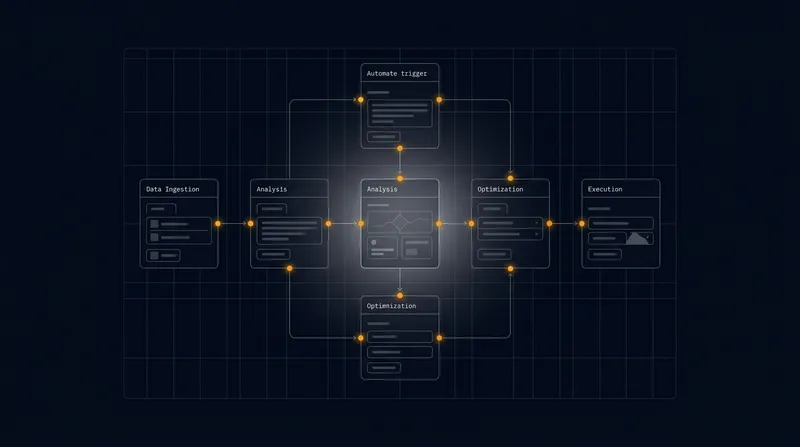
Rapid Deployment Playbooks: From Pilot to Production in 90 Days
Accelerate enterprise automation from pilot to production in just 90 days with governance-safe rapid deployment frameworks.
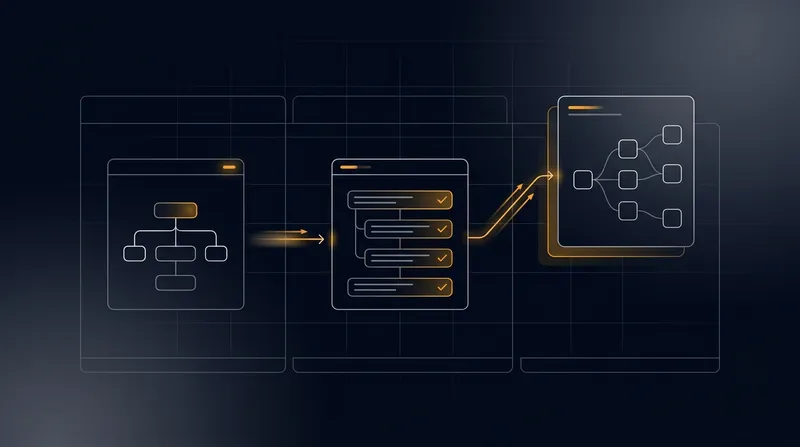
Enterprise automation pilots often languish in proof-of-concept limbo. Teams validate concepts in controlled environments, demonstrate ROI to stakeholders, and then face months of delays converting those wins into production systems. The gap between "it works" and "it's live across the organization" represents lost momentum, deferred value, and eroding executive confidence in digital transformation initiatives.
What if you could compress that timeline to 90 days? Not through reckless shortcuts or compromised governance, but through a structured, repeatable playbook designed specifically for founder-led and small B2B teams. This guide presents a prescriptive rapid deployment framework that balances speed with safety - ensuring your automation pilots scale reliably while maintaining the controls, compliance, and stakeholder alignment that operational leaders demand.
The playbook addresses the core tension every operations leader faces: how to move fast without breaking governance. By combining minimum viable architecture patterns, pre-built stakeholder alignment templates, quantified success metrics, and battle-tested risk mitigation checklists, you can orchestrate a 90-day sprint from pilot validation to full production deployment. This approach transforms rapid deployment from a chaotic scramble into a repeatable, governance-safe process that accelerates time-to-value across your organization.
The 90-Day Rapid Deployment Framework: Architecture and Phasing
A structured 90-day timeline divides naturally into three 30-day phases, each with distinct objectives, deliverables, and governance gates. This phasing approach allows you to maintain momentum while building confidence at each stage. Learn more in our post on Rapid Deployment Playbooks: How to Move AI Automation from Pilot to Production in 90 Days.
Phase 1: Foundation and Readiness (Days 1 - 30) focuses on establishing the architectural baseline and securing stakeholder alignment before any production infrastructure changes. During this phase, you finalize the minimum viable architecture - the stripped-down version of your automation solution that delivers core business value without unnecessary complexity. This is not a full-featured system; it is the essential 20% that drives 80% of the impact.
Parallel to architectural work, Phase 1 includes stakeholder mapping and alignment. You identify decision-makers across IT operations, security, compliance, business units, and executive leadership. Each stakeholder group has different concerns: IT worries about system stability and integration; security focuses on data access and audit trails; compliance tracks regulatory alignment; business units care about usability and ROI. Preparing stakeholder-specific briefing templates during Phase 1 prevents surprises later.
Phase 1 also establishes the success metrics framework. Rather than vague goals like "improve efficiency," you define quantified, measurable outcomes: reduce manual processing time by 65%, decrease error rates from 8% to under 1%, or accelerate approval cycles from 5 days to 2 hours. These metrics become the north star for the entire deployment and the basis for post-launch ROI reporting.
The difference between a stalled pilot and a successful deployment often comes down to clarity. Teams that invest time in Phase 1 - defining what "done" looks like, who needs to agree, and how success will be measured - move through Phases 2 and 3 with far fewer surprises and rework cycles.
Phase 2: Production Readiness and Hardening (Days 31 - 60) transitions the validated pilot architecture into a production-grade system. This is where theoretical minimum viable architecture meets real-world enterprise requirements: redundancy, monitoring, logging, alerting, disaster recovery, and compliance controls.
During Phase 2, your infrastructure team builds the production environment in parallel with ongoing pilot refinement. Rather than waiting for the pilot to be "perfect," you deploy the pilot logic into a production-hardened infrastructure. This separation of concerns - keeping pilot iteration fast while production infrastructure scales - is critical for maintaining the 90-day timeline.
Phase 2 includes comprehensive security and compliance reviews. Your security team performs threat modeling on the automation architecture, identifying potential attack vectors and data exposure risks. Compliance teams review audit logging, data retention policies, and regulatory alignment. Rather than treating these as late-stage checkboxes, integrating them into Phase 2 ensures the production system is inherently compliant from day one.
Phase 3: Rollout and Stabilization (Days 61 - 90) moves the hardened system into controlled production rollout, beginning with limited scope and expanding based on stability metrics. This is not a big-bang cutover; it is a measured, monitored expansion that allows you to catch integration issues early while maintaining a rollback path.
Phase 3 includes parallel run periods where the automation system processes transactions alongside legacy systems, allowing you to validate outputs before fully cutting over. You establish on-call support structures, escalation procedures, and rollback triggers. By day 90, the system is live in production, generating real value, and monitored by operational teams with clear runbooks and escalation paths.
Minimum Viable Architecture: Building for Speed Without Sacrificing Governance
Enterprise automation systems often bloat with features that sound good in planning but rarely drive measurable business impact. The minimum viable architecture principle strips away the non-essential, focusing on the specific automation flows that generate the highest ROI within your 90-day window. Learn more in our post on A CDO's Checklist for Scaling AI from Pilot to Production.
Start by mapping your target automation scope. Most organizations can identify 3 - 5 high-impact automation opportunities: a sales workflow that accelerates deal closure, an operational process that eliminates manual data entry, a compliance workflow that reduces audit risk, or a customer service flow that improves response times. Choose the 1 - 2 opportunities with the clearest ROI and lowest technical complexity for your first rapid deployment. You can expand to additional workflows in subsequent 90-day cycles.
For your chosen automation, define the absolute minimum feature set required to deliver measurable business value. If your goal is to accelerate approval workflows, do you need AI-powered document classification, or can you start with rule-based routing? If you are automating sales follow-ups, do you need predictive scoring of lead quality, or does simple event-triggered outreach deliver sufficient value? By deferring nice-to-have features to Phase 2 or later iterations, you compress the development and testing timeline dramatically.
Minimum viable architecture also means choosing integration points carefully. Rather than attempting to integrate with every legacy system in your enterprise, identify the 2 - 3 core systems your automation must connect to: perhaps your CRM, your ERP, and your data warehouse. Build clean, well-documented APIs to these systems. Leave other integrations for future phases.
The most dangerous assumption in rapid deployment is that you need to build everything at once. The organizations that succeed in 90-day deployments are ruthless about deferral - they identify the 20% of features that drive 80% of value and ship that first. Everything else becomes a roadmap item for future iterations.
Governance integration must be baked into the minimum viable architecture from the start. This does not mean bureaucratic overhead; it means thoughtful design choices that make compliance and control natural rather than bolted-on. For example, if your automation makes decisions that affect customers or employees, design an audit trail that captures every decision, the data inputs, and the reasoning. If your automation accesses sensitive data, implement role-based access controls at the data source rather than trying to retrofit them later. If regulatory requirements mandate human approval for certain transaction types, build approval gates into the workflow architecture rather than treating them as post-deployment additions.
Your minimum viable architecture should also include observability from day one. This means comprehensive logging of automation decisions, performance metrics, error rates, and business outcomes. Do not treat monitoring as a Phase 3 afterthought. Instrument your automation system during Phase 1 so that by Phase 2, you have clear visibility into how the system performs and where issues emerge.
Stakeholder Alignment Templates and Decision-Making Structures
Rapid deployment timelines fail most often not due to technical complexity but due to misaligned stakeholders. Different groups in your organization have different priorities, different risk tolerances, and different definitions of success. Without explicit alignment structures, you end up in endless review cycles where each stakeholder group requests additional features, additional testing, or additional approvals. Learn more in our post on Rapid Deployment Kit: Your 30 - 60 - 90 Day Agentic AI Rollout Blueprint.
Begin Phase 1 by creating a stakeholder map. Identify the key decision-makers and influencers across your organization: the operations leader who controls IT infrastructure, the compliance officer who oversees regulatory risk, the finance leader who measures ROI, the business unit leaders who use the system daily, and the IT operations team who supports it in production. For each stakeholder group, create a one-page briefing template that addresses their specific concerns in their language.
The operations briefing focuses on architecture, scalability, and operational integration. It addresses questions like: How does this automation system integrate with our existing infrastructure? What are the compute, storage, and network requirements? How does it scale as we expand to additional workflows? What are the disaster recovery and business continuity provisions?
The compliance briefing focuses on risk, audit, and regulatory alignment. It addresses questions like: What data does the system access and how is it protected? What audit trails are maintained? How do we demonstrate compliance to regulators? What happens if the system makes an incorrect decision?
The business unit briefing focuses on usability, ROI, and operational impact. It addresses questions like: How will this change how my team works? What training is required? What is the expected ROI and timeline to payback? What happens if we need to roll back?
Create a governance structure that includes representatives from each stakeholder group meeting weekly during the 90-day window. These are not open-ended discussion forums; they are structured decision meetings with clear agendas, pre-circulated materials, and explicit decision outcomes. By meeting weekly rather than ad hoc, you maintain momentum and prevent stakeholder surprises that derail timelines.
Establish clear decision rights and escalation paths. Define what decisions can be made by the deployment team, what decisions require stakeholder group consensus, and what decisions require executive escalation. If a security concern emerges that impacts the architecture, you need a clear path to escalate, decide, and move forward within days, not weeks.
Create a risk register that is shared with all stakeholders and updated weekly. For each identified risk - whether technical, organizational, or compliance-related - document the risk, its potential impact, the mitigation strategy, and the owner. By maintaining transparency about risks, you build trust and prevent stakeholders from discovering concerns late in the process.
Success Metrics and ROI Tracking: Defining and Measuring Value
Rapid deployment requires clarity about what success looks like before you begin building. Vague goals like "improve efficiency" or "reduce costs" do not drive decision-making and make it impossible to measure whether the deployment succeeded. Instead, define specific, quantified success metrics that align to your business objectives and that you can measure in real time.
Start with business outcome metrics - the metrics that matter most to your organization. If you are automating a sales workflow, relevant metrics might include: average time from lead qualification to first contact reduced from 3 days to 4 hours, email response rate increased from 22% to 58%, or deal velocity improved by 35%. If you are automating an operational process, relevant metrics might include: manual data entry time reduced by 80%, error rate decreased from 5% to under 0.5%, or process cycle time compressed from 5 days to 2 hours.
Define these metrics before deployment begins, establish baseline measurements from your current manual process, and plan how you will measure them post-deployment. This requires coordination with your business intelligence team to ensure the right data is captured and reported.
Alongside business outcome metrics, track operational health metrics that indicate whether the automation system itself is functioning properly. These include: automation success rate (percentage of transactions processed without human intervention), error rate (percentage of automation decisions that require manual correction), system availability (percentage of time the system is operational), and latency (average time to process a transaction).
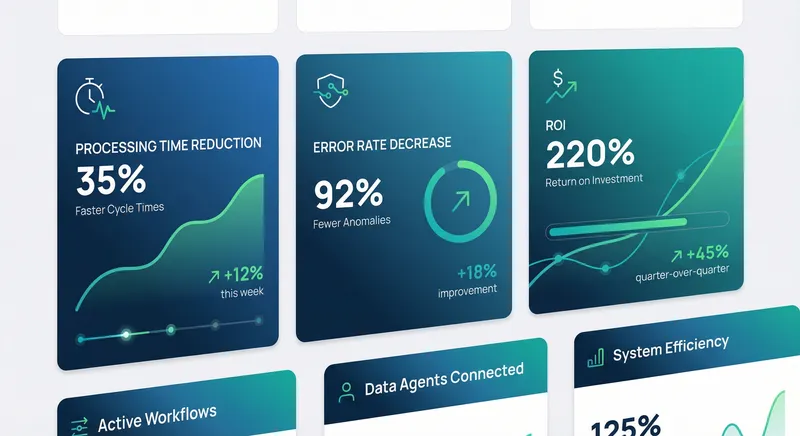
Create a live ROI dashboard that is visible to stakeholders throughout the 90-day deployment and beyond. The dashboard should show: current performance against each success metric, comparison to baseline, trajectory toward targets, and business value generated to date. This dashboard becomes the primary mechanism for demonstrating value and maintaining executive support for ongoing automation investments.
Organizations that succeed in rapid deployment treat metrics not as an afterthought or a compliance requirement, but as the primary language for decision-making. When metrics are clear and visible, stakeholders can see progress, adjust course based on real data, and maintain confidence in the deployment process.
Beyond the 90-day window, establish a metrics review cadence - perhaps monthly or quarterly - where you assess performance against targets and identify optimization opportunities. This transforms the initial deployment into an ongoing optimization process where you continuously improve the automation system based on real-world performance data.
Include metrics that capture not just efficiency gains but also quality improvements and risk reduction. If your automation reduces errors, quantify the error reduction and its business impact. If it improves compliance, document the compliance improvements and their risk reduction value. A comprehensive ROI picture includes efficiency, quality, and risk factors, not just cost reduction.
Risk Mitigation Checklists: Enterprise-Safe Rapid Deployment
Rapid deployment and enterprise governance are often seen as opposing forces - you can move fast or you can be safe, but not both. This false dichotomy leads many organizations to choose safety over speed, resulting in multi-year deployment timelines. In reality, structured risk mitigation allows you to move quickly while maintaining the controls and safeguards that enterprises require.
Create comprehensive risk mitigation checklists for each phase of the 90-day deployment. These checklists are not bureaucratic hurdles; they are practical tools that help you identify and address potential problems before they derail the deployment.
Phase 1 Risk Mitigation Checklist:
- Architecture review completed by IT infrastructure team with sign-off on scalability, performance, and operational integration
- Security threat modeling completed identifying data access patterns, potential vulnerabilities, and mitigation strategies
- Compliance assessment completed documenting regulatory requirements, audit trail needs, and approval workflows
- Data governance review completed identifying data sources, data quality requirements, and data retention policies
- Stakeholder alignment confirmed with documented decision rights, escalation paths, and weekly governance meetings scheduled
- Success metrics defined, baselined, and dashboard framework established
- Integration points identified and API specifications documented
- Rollback and contingency procedures drafted
Phase 2 Risk Mitigation Checklist:
- Production infrastructure deployed and validated in non-production environment
- Redundancy and failover mechanisms implemented and tested
- Monitoring and alerting configured for all critical system components
- Logging and audit trail mechanisms implemented and tested
- Backup and disaster recovery procedures implemented and tested
- Security controls implemented including encryption, access controls, and rate limiting
- Compliance controls implemented including approval workflows, audit logging, and data retention
- Load testing completed to validate performance under production volume
- Integration testing completed with all connected systems
- User acceptance testing completed with business unit representatives
- Support runbooks and escalation procedures documented
- Executive sign-off obtained on production readiness
Phase 3 Risk Mitigation Checklist:
- Parallel run completed comparing automation outputs to manual process for accuracy
- Limited production rollout completed with monitoring for errors and performance issues
- On-call support structure activated with clear escalation procedures
- Rollback procedures tested and team trained on execution
- Success metrics dashboard live and actively monitored
- Daily standups conducted to review performance and address emerging issues
- Gradual expansion to additional business units or transaction volumes based on stability metrics
- Post-deployment retrospective completed documenting lessons learned
Beyond these phase-specific checklists, maintain a running risk register throughout the 90-day period. For each identified risk, document: the risk description, potential impact (business, technical, or compliance), likelihood of occurrence, mitigation strategy, risk owner, and status. Update this register weekly and review it with stakeholders. By maintaining transparency about risks, you build confidence that potential problems are being actively managed rather than ignored.
Create decision gates at the end of each phase where stakeholders explicitly approve progression to the next phase. These gates are not bureaucratic delays; they are decision points where stakeholders confirm that phase objectives have been met and that the deployment is ready to proceed. If a gate review identifies unresolved risks, you address them before moving forward rather than deferring them to later phases.
Automation Architecture Patterns for Rapid Deployment
Certain architectural patterns consistently enable rapid deployment while maintaining enterprise governance. Understanding these patterns helps you design automation solutions that are both fast to build and safe to operate.
Event-Driven Architecture: Rather than building monolithic automation systems that try to handle every scenario, design automation around events. When a specific event occurs in your business system - a new lead is created in your CRM, a purchase order is submitted for approval, a customer support ticket arrives - that event triggers a specific automation workflow. This event-driven approach allows you to build focused, modular automation workflows rather than complex, tightly-coupled systems. Each workflow is independently deployable, independently testable, and independently monitorable.
Composable Workflows: Build automation systems from reusable components rather than custom code. Instead of writing bespoke logic for each automation scenario, combine pre-built workflow components: data retrieval, decision logic, approval routing, notification sending, and data updating. This compositional approach dramatically reduces development time and improves consistency across automation workflows. When you need a new automation capability, you often can compose it from existing components rather than building from scratch.
Governance-First Design: Rather than bolting governance controls onto automation systems after they are built, design governance into the architecture from the start. This means: audit logging is not a separate system but an integral part of every workflow step; approval gates are not workarounds but first-class workflow components; role-based access control is not retrofitted but embedded in the data access layer; compliance rules are not manual checks but encoded in automation logic.
Observability by Design: Build monitoring, logging, and alerting into your automation architecture rather than treating them as post-deployment additions. Every automation workflow should generate detailed logs capturing: what data was processed, what decisions were made, what actions were taken, and what the outcomes were. This observability enables rapid diagnosis of issues and provides the audit trail that enterprises require.
Graceful Degradation: Design automation systems to continue operating, albeit in reduced capacity, when components fail. If a data enrichment service becomes unavailable, the automation workflow should continue processing with the data it has rather than failing entirely. If a notification service is slow, the workflow should queue notifications asynchronously rather than blocking. This resilience approach allows your automation system to remain operational even when individual components experience issues.

Data Governance and Integration in Rapid Deployments
Data is the lifeblood of enterprise automation. Your automation systems are only as good as the data they operate on. Rapid deployment requires thoughtful data governance that ensures data quality, security, and compliance without slowing deployment timelines.
During Phase 1, conduct a data audit identifying the data sources your automation will consume and the data quality requirements for each source. Not all data needs the same level of cleanliness; some data quality issues can be tolerated or worked around, while others are deal-breakers. For example, if your automation is enriching lead records with company information, minor data quality issues might be acceptable - the automation can flag uncertain matches for human review. But if your automation is processing financial transactions, data quality standards must be much stricter.
Define data governance policies that specify: what data your automation can access, how that data is protected, how long it is retained, and how access is audited. These policies should be documented and approved by your compliance and security teams before Phase 2 begins. Do not treat data governance as a Phase 3 add-on; it is a foundational requirement that shapes your automation architecture.
For data integration, prefer API-based integration over direct database access whenever possible. APIs provide a cleaner separation of concerns, allow the source system to enforce access controls and audit logging, and make it easier to change the source system without breaking your automation. If direct database access is necessary, implement it through a dedicated service account with minimal required permissions and comprehensive audit logging.
Implement data quality validation at the entry point of your automation workflows. Before your automation processes data, validate that required fields are present, that values are within expected ranges, and that data integrity constraints are satisfied. This validation prevents garbage data from propagating through your automation and ensures that automation decisions are based on reliable information.
Create a data dictionary that documents every data element your automation uses: its source system, its definition, its format, its quality requirements, and how it is used. This documentation is invaluable for troubleshooting and for onboarding new team members. It also serves as a compliance artifact demonstrating that you understand your data and how it is being used.
Training, Enablement, and Change Management
Even the most technically sophisticated automation system will fail if your organization is not prepared to use it effectively. Rapid deployment requires concurrent planning for training, enablement, and change management.
Begin change management planning during Phase 1, not Phase 3. Identify who will be affected by the automation - the business users whose workflows will change, the support teams who will troubleshoot issues, the managers who will oversee the new processes. For each group, develop a change management plan that addresses: what is changing, why it is changing, how it will affect their work, what training they will receive, and what support will be available.
Create role-specific training materials tailored to different audiences. Business users need training on how to interact with the automation - what triggers it, how to interpret its outputs, how to intervene when necessary. Support teams need training on how to troubleshoot issues and escalate problems. Managers need training on the new metrics and how to interpret performance data.
Deliver training just-in-time, not months before deployment. Training delivered weeks before the system goes live is quickly forgotten. Training delivered a few days before go-live is fresh and relevant. Consider delivering training in multiple formats - live instructor-led sessions, recorded videos, written guides, and interactive simulations. Different people learn in different ways; providing multiple formats increases the likelihood that everyone absorbs the material.
Establish a support structure that is active before the system goes live. Identify power users from each business unit who will serve as local experts and first-line support. Provide them with additional training and documentation. Have them available during the early days of production rollout to answer questions and help colleagues navigate the new system.
Plan for ongoing enablement beyond the initial training. As your organization uses the automation system, new questions and scenarios will emerge. Establish a feedback mechanism where users can ask questions and report issues. Document answers to frequently asked questions and share them across the organization. This continuous enablement approach transforms the deployment from a one-time event into an ongoing learning process.
Measuring and Optimizing Post-Deployment
The 90-day rapid deployment timeline gets your automation system into production, but the real value is realized through ongoing optimization. Your deployment should include mechanisms for continuous measurement and improvement.
Establish a post-deployment review cadence - perhaps a weekly meeting for the first month, then biweekly for the next two months, then monthly. In these reviews, examine your success metrics: Are you hitting your targets? Where are you exceeding expectations? Where are you falling short? What is driving the performance you are seeing?
Create a prioritized backlog of optimization opportunities. After the initial deployment, you will identify ways to improve the automation: additional data sources that would improve decision quality, additional workflows that could be automated, refinements to approval logic, or enhancements to user experience. Rather than trying to implement all of these improvements immediately, prioritize them based on impact and effort. Some optimizations might be quick wins that you implement within weeks; others might be larger initiatives that you tackle in your next 90-day cycle.
Establish a feedback loop with business users. They are the ones using the system daily and observing its impact on their work. Regular check-ins with business users surface issues that might not appear in automated metrics and identify optimization opportunities that directly improve their experience.
Use your observability infrastructure to identify performance bottlenecks and reliability issues. If certain automation workflows are slower than expected, investigate why. If error rates are higher in specific scenarios, understand what is causing those errors. Use this data to prioritize optimization efforts toward the highest-impact improvements.
Document lessons learned from your first rapid deployment. What worked well that you should repeat in future deployments? What was more difficult than expected? What would you do differently next time? This institutional learning is invaluable as you scale automation across your organization.
Scaling Beyond the Initial 90 Days
Your first rapid deployment is a proof of concept for your broader automation strategy. Once you have successfully deployed one automation workflow in 90 days, you can apply the same playbook to additional workflows and scale automation across your organization.
After your first deployment stabilizes, begin planning your second rapid deployment. Apply the lessons learned from the first deployment to make the second one even faster and smoother. You will have refined your minimum viable architecture pattern, your stakeholder alignment processes, and your risk mitigation procedures. Your second deployment should be faster and require less rework than your first.
Consider adopting a portfolio approach where you run multiple 90-day rapid deployments in parallel, each targeting different automation opportunities. This allows you to accelerate the pace of automation adoption across your organization while maintaining the structured, governance-safe approach that enterprises require.
Invest in automation infrastructure that supports multiple deployments. Rather than building custom infrastructure for each automation workflow, develop a shared platform that provides the building blocks that all your automation workflows need: event handling, workflow orchestration, data integration, audit logging, monitoring, and alerting. This platform approach allows individual rapid deployments to focus on business logic rather than infrastructure, further accelerating deployment timelines.
Establish an automation center of excellence that captures best practices, provides training and support, and helps business units identify high-impact automation opportunities. This center of excellence becomes the engine for your ongoing automation transformation, enabling rapid deployment of automation across your enterprise.
Common Pitfalls and How to Avoid Them
Organizations often stumble on rapid deployment initiatives despite having good intentions and solid plans. Understanding common pitfalls helps you avoid them.
Scope Creep: The most common cause of failed rapid deployments is scope expansion. A stakeholder requests an additional feature, then another stakeholder requests something else, and before you know it, your 90-day timeline has become a 12-month project. Prevent scope creep by establishing clear scope boundaries during Phase 1 and documenting all requested features that fall outside the scope as future roadmap items. When new requests emerge, evaluate them against the 90-day timeline constraint and make explicit decisions about whether they are in-scope or deferred.
Insufficient Stakeholder Alignment: Rapid deployments fail when stakeholders discover concerns late in the process. Prevent this by investing in stakeholder alignment during Phase 1. Conduct thorough security and compliance reviews before you build production infrastructure. Engage business users in the design process so they understand what is being built and have opportunity to provide input. Regular stakeholder communication throughout the 90 days prevents late surprises.
Underestimating Data Complexity: Many rapid deployments stall because data proves more complex than anticipated. Source systems have data quality issues, integration APIs are less clean than expected, or data governance requirements are more stringent than initially understood. Mitigate this by conducting a thorough data audit during Phase 1 and involving your data governance team early in the process. Do not assume data will be clean; plan for data quality validation and cleansing in your automation architecture.
Inadequate Testing: The pressure to move fast sometimes leads teams to skip thorough testing. This is a false economy; bugs discovered in production are far more costly than bugs discovered during testing. Maintain rigorous testing standards throughout the 90-day period. Include unit testing, integration testing, user acceptance testing, and load testing. Automate testing where possible to speed the process without sacrificing quality.
Insufficient Monitoring and Observability: Some teams get automation into production and then discover they have poor visibility into how it is performing. By the time they realize there is a problem, it has been running incorrectly for days. Build comprehensive logging, monitoring, and alerting into your automation from the start. This observability infrastructure is not a luxury; it is essential for rapid deployment success.
Weak Change Management: Even excellent automation systems fail if the organization is not prepared to use them. Invest in change management, training, and enablement throughout the 90 days. Do not treat training as an afterthought. Ensure that business users understand the new system and are prepared to use it effectively on day one of production rollout.
Building a Rapid Deployment Culture
Ultimately, rapid deployment is not just a process or a playbook; it is a cultural mindset. Organizations that excel at rapid deployment have internalized several key principles.
Bias Toward Action: Rather than endlessly planning and analyzing, rapid deployment organizations move quickly toward implementation. They recognize that learning through building is often faster than learning through analysis. They make decisions with imperfect information, knowing they can course-correct as they learn more. This bias toward action, combined with rigorous monitoring and feedback loops, allows them to move faster than more cautious organizations.
Ruthless Prioritization: Rapid deployment requires saying "no" to good ideas that do not fit the current scope. Organizations that succeed are willing to defer features, to simplify architectures, and to focus relentlessly on the highest-impact work. They understand that shipping a focused solution on time is more valuable than shipping a comprehensive solution late.
Cross-Functional Collaboration: Rapid deployment cannot be driven by a single team. It requires close collaboration between business teams, technology teams, security teams, and compliance teams. Organizations that excel at rapid deployment have broken down silos and created mechanisms for these groups to work together effectively. They invest in shared understanding and aligned incentives.
Continuous Learning: Rather than treating each deployment as a one-time event, rapid deployment organizations treat each deployment as a learning opportunity. They capture lessons learned, they refine their processes based on what they discover, and they share knowledge across the organization. This continuous learning approach means that each subsequent deployment is faster and smoother than the previous one.
Governance as Enabler: Rather than viewing governance as a constraint that slows deployment, rapid deployment organizations view governance as an enabler that makes deployment safer and faster. They design governance into their systems from the start. They automate compliance checks. They make governance decisions quickly and transparently. This approach removes governance as a bottleneck and allows deployment to accelerate.
Conclusion: Your Path to Rapid, Enterprise-Safe Automation
The 90-day rapid deployment playbook transforms automation from a multi-year transformation initiative into an achievable, repeatable process. By combining structured phasing, minimum viable architecture, stakeholder alignment, quantified success metrics, and comprehensive risk mitigation, you can move automation pilots into production quickly while maintaining the governance and controls that enterprises require.
The playbook is not a rigid prescription; it is a flexible framework that you adapt to your organization's specific context. Your industry, your current technology stack, your governance requirements, and your organizational culture will shape how you apply these principles. The key is to maintain the underlying discipline: clear phases with defined objectives, ruthless prioritization of scope, active stakeholder engagement, quantified success metrics, and continuous risk management.
At A.I. PRIME, we have helped dozens of founder-led B2B teams compress their automation deployment timelines from 12+ months to 90 days through structured rapid deployment programs. We combine our deep expertise in autonomous workflow orchestration, governance integration, and operational AI with proven playbooks that accelerate time-to-value while maintaining enterprise safety standards.
If your organization is ready to move beyond pilots and into production automation, we can help you design and execute a rapid deployment program tailored to your specific automation opportunities. We will work with your teams to establish the governance structures, define success metrics, architect the minimum viable solution, and manage the transition from pilot to production. Our goal is not just to deploy automation quickly, but to establish a sustainable, repeatable process that accelerates your entire digital transformation journey.
Start by identifying your highest-impact automation opportunity - the workflow that will deliver the clearest ROI and that your organization is most motivated to improve. Then apply the 90-day rapid deployment playbook to that opportunity. By the end of 90 days, you will have a production automation system generating measurable business value. More importantly, you will have proven that rapid, enterprise-safe automation deployment is achievable in your organization. That success becomes the foundation for scaling automation across your enterprise and accelerating your digital transformation.
The question is not whether rapid deployment is possible; it is whether you are ready to commit to the discipline and focus required to make it happen. The organizations that win in the next decade will be those that can rapidly translate automation opportunities into production value. Your 90-day rapid deployment journey starts now.