A.I. PRIME - Article
Enterprise Workflow Orchestration: Delivering Personalized AI-Powered Journeys at Scale
Orchestrate personalized AI-powered workflows at enterprise scale with governance, compliance, and agentic decision-making for founder-led teams.
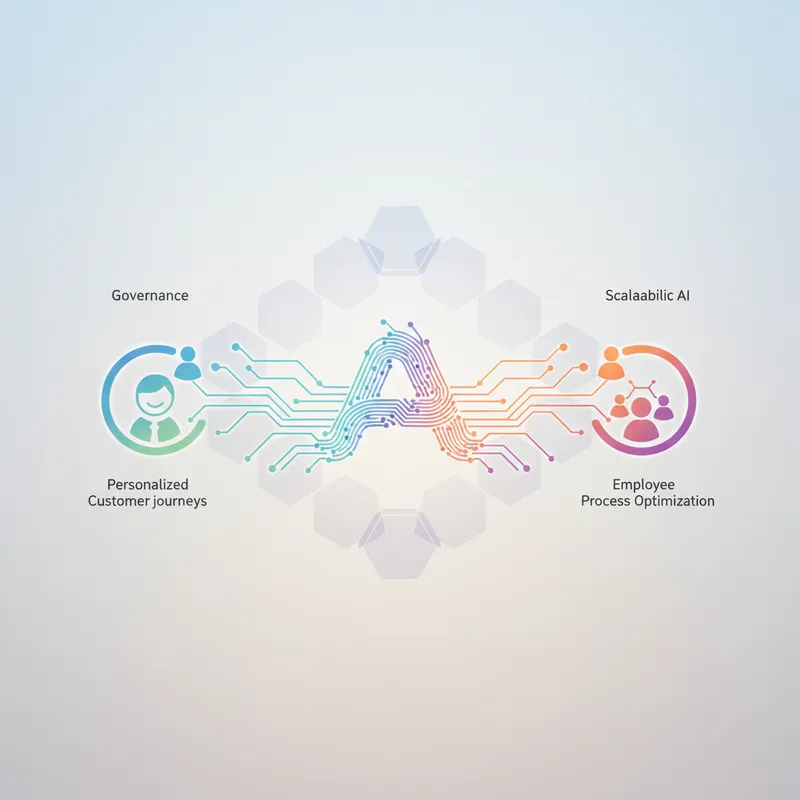
Orchestrating personalized workflows at enterprise scale means building systems where AI makes decisions, controls execution, and adapts to context - all while maintaining governance, security, and measurable outcomes. This guide is written for founders and operations leaders who need to automate repetitive tasks across support, sales, and internal operations without sacrificing control or compliance.
You will learn practical architecture patterns for integrating agentic AI into existing systems, governance frameworks that enable rather than block automation, and a phased roadmap to move from pilot to production. The guidance is grounded in current best practices and addresses the real constraints founder-led teams face: limited engineering resources, need for rapid ROI, and the requirement to integrate with legacy systems and existing workflows.
Why founder-led teams need orchestrated workflows now
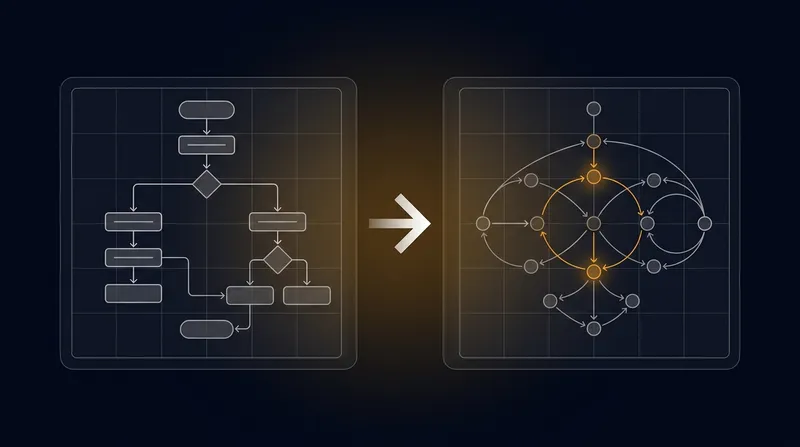
Founder-led B2B teams face constant pressure to do more with fewer people. Support queues grow faster than headcount. Sales follow-up gets delayed. Internal processes remain manual and error-prone. When you orchestrate workflows, you connect data, decisions, and actions into a single automated flow that adapts to context and reduces manual work. Learn more in our post on Orchestrating Personalized Workflows at Enterprise Scale.
Orchestration solves three critical problems at once. First, it unifies fragmented data and customer context so decisions are made on accurate, timely information. Second, it automates repetitive decision-making - routing, qualification, prioritization, and response - without requiring human intervention for every case. Third, it creates an audit trail and control points so you can explain decisions, adjust rules, and maintain governance as the system scales.
The measurable outcomes are clear: faster response times, higher qualification accuracy, reduced support backlog, and more consistent customer and employee experiences. For small teams, orchestration is the lever that lets you punch above your weight class.
Core architecture for orchestrated personalized workflows
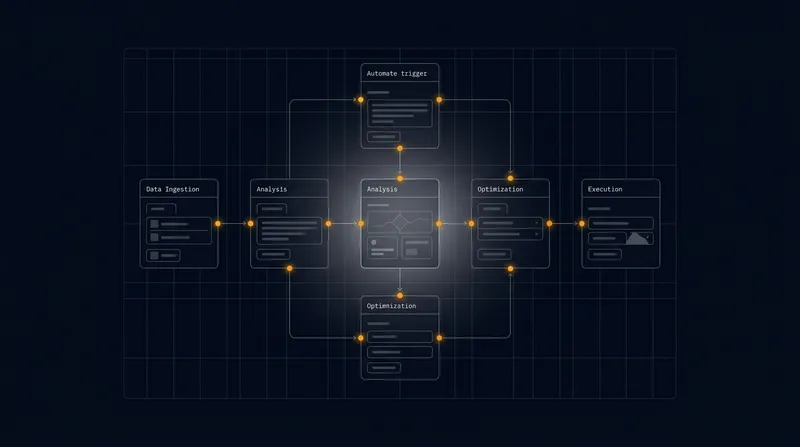
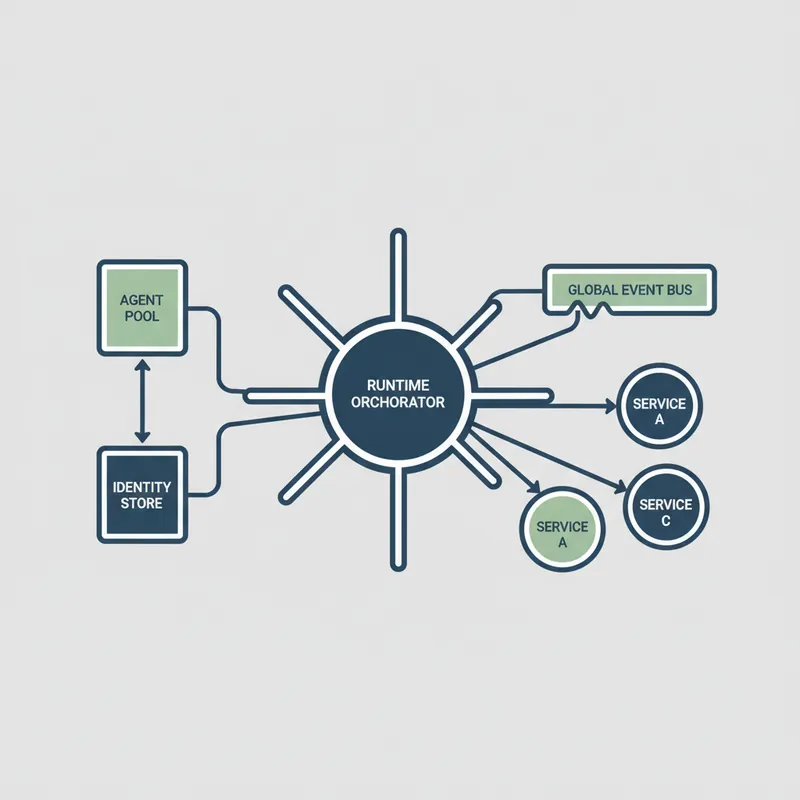
Scalable workflow orchestration requires three layers working together: an orchestration runtime that coordinates tasks, a decisioning layer that determines what happens next, and execution connectors that perform actions in your existing systems. Learn more in our post on Security and Compliance Checklist for Deploying Autonomous Workflows.
The orchestration runtime is the conductor. It receives triggers from your CRM, helpdesk, or internal systems. It manages state, maintains context about the customer or employee, and decides which step to execute next. It should support event-driven triggers, long-running workflows that span hours or days, and integration with both your systems of record and AI models.
Design workflows as composable blocks. Instead of building one monolithic flow for "customer onboarding," break it into reusable pieces: identity resolution, intent classification, offer selection, and fulfillment. Each block has a clear contract - it takes specific inputs and returns structured outputs. This approach lets you reuse blocks across different journeys and improve individual components without rebuilding entire workflows.
Data and identity layer
Reliable personalization depends on knowing who you are talking to and what you know about them. Build a canonical identity service that unifies customer or employee records across your systems - CRM, helpdesk, email, forms, and any other source. The identity service should maintain a single source of truth for consent, preferences, and permissions.
Maintain a context store that aggregates signals: recent interactions, transaction history, support tickets, behavioral signals, and any other relevant data. Keep this context fresh and queryable at low latency. The context store should serve both real-time decisioning (answering "what should we do now?") and batch analysis (understanding trends and patterns).
Privacy and compliance must be enforced at this layer. Tag data with consent status, retention policies, and regulatory flags. When a workflow needs to use customer data, the orchestration runtime checks these tags and fails safely if consent is missing or data has expired.
Decisioning and agentic AI layer
This is where business intent becomes action. Use a hybrid approach: combine deterministic rules for high-stakes decisions with agentic AI for complex, judgment-heavy tasks.
Agentic AI excels at tasks like synthesizing customer context to draft a personalized response, analyzing a support ticket to recommend the right team, or managing multi-step processes like lead qualification. But always place a validation layer between the agent and execution. Require agents to return structured, typed outputs. Validate outputs against business rules before they are acted upon. This prevents agents from making unauthorized or nonsensical decisions.
For example, an agent might recommend offering a 30% discount to retain a customer. A decisioning layer checks: Is this customer eligible for discounts? Is 30% within policy limits? Has this customer already received a discount this quarter? Only if all checks pass does the recommendation move to execution.
Execution and integration layer
Execution components perform the actual work: sending emails, creating support tickets, updating CRM records, triggering billing systems, or invoking third-party services. Use integration adapters that abstract the details of each system behind a consistent API.
Design for idempotency. If a workflow step fails and retries, it should produce the same result as the first attempt. This is critical in enterprise systems where duplicate actions can cause problems. Use unique request IDs, check for existing records before creating new ones, and log all changes so you can audit what happened.
Build graceful fallbacks. When an integration fails, the workflow should either retry, queue for later processing, or escalate to a human. The system should never silently fail or leave a customer in an uncertain state.
Governance and control for AI-driven workflows
Bringing agentic AI into production requires explicit governance. Governance is not a compliance checkbox - it is the tooling and processes that ensure the system behaves consistently with your values, policies, and regulations. Learn more in our post on Balancing Autonomy and Compliance: Best Practices for Enterprise AI Governance.
Define policy categories: consent and privacy, data retention, acceptable use, escalation rules, and approval gates. Map each policy to enforcement mechanisms in the orchestration runtime. For example, enforce consent by checking flags before workflows access customer data. Enforce escalation rules by routing high-value or high-risk decisions to humans.
Implement model risk management for agents. This means versioning models, tracking what training data was used, running regular performance tests, and maintaining an audit log of every decision. Use shadow mode to test new agent versions against live traffic without actually changing behavior - this lets you spot problems before they affect customers.
Human oversight and escalation
Even the best automated workflows encounter edge cases. Design clear human-in-the-loop patterns. When a workflow needs human review, provide context: the customer history, recent interactions, the decision the agent recommended, and the confidence score. Make it easy for humans to approve, edit, or reject the decision.
Establish escalation rules for high-risk scenarios. Route decisions above a certain dollar amount to a manager. Escalate cases where the agent confidence is low. Escalate any decision affecting a VIP customer. The key is making escalation automatic and visible so you maintain accountability while scaling automation.
Security and least privilege
Integrate authentication and authorization at every layer. Use single sign-on for human reviewers. Require service-level authentication between orchestration components and downstream systems. Log all access and changes.
Apply least privilege: agents and connectors should have access only to the data and systems they need. An agent that drafts support responses should not be able to access billing information. A connector that updates CRM records should not be able to trigger payment processing.
Operationalizing workflows across support, sales, and operations
Agentic AI works best when it is part of a broader orchestration strategy, not a standalone tool. Agents should be managed like any other service: with clear ownership, SLAs, monitoring, and deployment practices.
Create agent categories with distinct responsibilities. Advisory agents suggest actions for humans to review. Executor agents perform sanctioned tasks automatically. Escalation agents detect uncertain cases and route them to the right person. This separation clarifies risk and simplifies governance.
Develop a deployment pipeline for agents that mirrors software engineering. Include unit tests (does the agent follow its instructions?), integration tests (does it work with your systems?), and canary releases (test with a small subset of traffic before full rollout). Use production shadowing: run the new agent in parallel with the existing approach and compare results before switching over.
Feedback loops and continuous improvement
Design explicit feedback loops so workflows improve over time. Capture signals at the point of decision: Was the agent's recommendation accepted? Was it edited? Did it lead to a good outcome? Feed these signals into retraining pipelines and rule updates.
Combine automated metrics with human insight. Use periodic review panels to sample agent decisions, document failure modes, and identify patterns. A human reviewer might notice that the agent consistently misclassifies a certain type of ticket - that insight can improve the agent or the workflow logic.
Scaling and cost control
Running agents at scale requires cost discipline. Use caching to avoid redundant API calls. Batch similar requests together. Route routine tasks to smaller, faster models and reserve larger models for complex cases.
Monitor latency and throughput. Set performance budgets - for example, "support ticket routing must complete in under 2 seconds." Use alerting so teams react quickly to degradation. When you orchestrate personalized workflows at scale, cost and performance are operational requirements, not afterthoughts.
Implementation roadmap: From pilot to production
Moving from concept to production is a staged process. Use a phased roadmap with clear acceptance criteria. A typical approach includes discovery, prototype, pilot, and scale phases.
- Discovery: Identify high-value workflows where automation will have the most impact. Map your current process, identify data sources, and document integrations needed. Engage legal and compliance early to understand regulatory constraints. For a support team, this might mean identifying that ticket routing takes 2 hours per day and ticket response time averages 4 hours - clear targets for improvement.
- Prototype: Build a narrow proof of concept. For example, automate lead qualification in your sales workflow using a simple agent that classifies inbound leads. Validate that the orchestration runtime can integrate with your CRM, that the agent produces useful outputs, and that you can measure impact.
- Pilot: Expand to a small, real-world population. Introduce governance checks, logging, and human oversight. Run A/B tests to quantify impact. For example, route 20% of support tickets through the automated workflow and measure resolution time, customer satisfaction, and escalation rate. Iterate based on results.
- Scale: Harden integrations, automate deployment, and add monitoring dashboards. Document runbooks for common incidents. Expand to additional workflows. Build a library of reusable blocks so new teams can adopt the pattern quickly.
Throughout the roadmap, keep changes small and reversible. Use feature flags to control which customers or workflows use the new automation. This lets you roll back instantly if something goes wrong and reduces risk.
High-impact use cases to prioritize
Start with workflows that offer high value and low complexity. Good candidates include lead qualification and follow-up, support ticket routing and initial response, customer onboarding sequences, and internal employee requests like access provisioning.
These workflows typically have clear success metrics (lead response time, ticket resolution time, onboarding completion time) and high volume, which makes it easy to measure improvements. Once you prove value, expand to more complex workflows involving multiple systems and longer decision chains.
Testing, observability, and resilience
Trust comes from visibility. Implement layered testing: unit tests for flow logic, integration tests for connectors, and end-to-end tests for complete workflows. Use synthetic monitoring to exercise critical paths regularly and catch regressions before users see them.
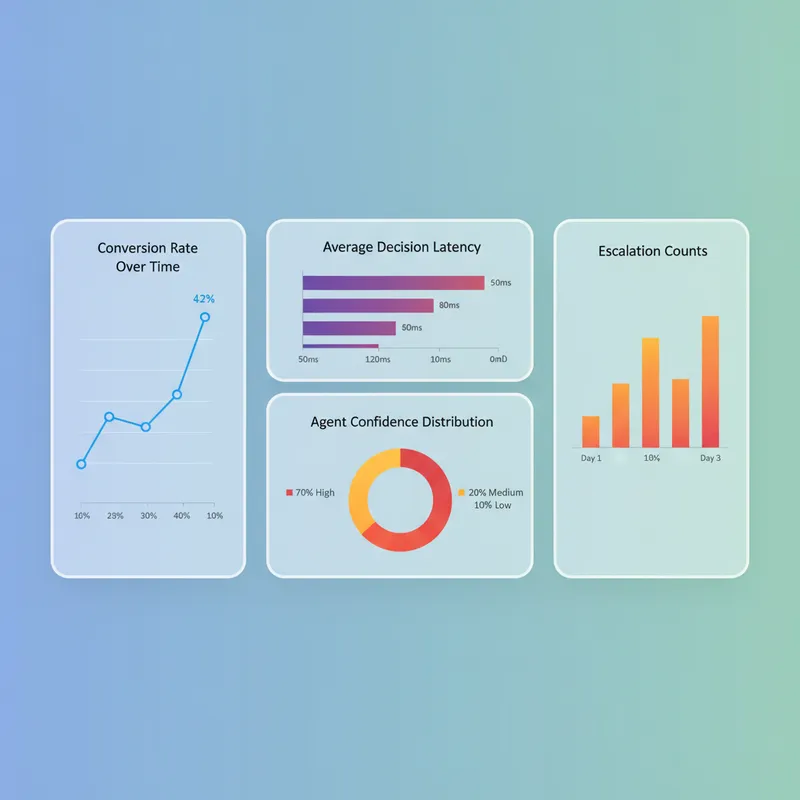
Observability should capture telemetry at multiple levels. Track orchestration metrics: decision latency, success rates, escalation percentage. Track agent metrics: model confidence, output quality, acceptance rate. Correlate these with business metrics: lead response time, ticket resolution time, customer satisfaction. Good dashboards help teams spot trends and prioritize improvements.
Resilience means the system gracefully handles failures. Define fallback behaviors: if an agent is slow, use a simpler rule-based decision. If an integration is down, queue the request for later processing. If a critical step fails, escalate to a human. Test these fallback paths regularly.
Canary releases and progressive delivery
Roll out changes gradually using canaries and feature flags. Before fully switching to a new agent or workflow version, test it with 5% of traffic. Monitor both technical metrics (latency, error rate) and business metrics (conversion rate, resolution time). If performance is good, gradually increase traffic to 25%, then 50%, then 100%. If something goes wrong, the feature flag lets you revert instantly.
Progressive delivery is especially important for personalization because small changes can have outsized effects. An agent that is slightly more aggressive in offering discounts might increase conversions but reduce margin. Canary releases let you measure both effects before committing.
Auditability and explainability
Store decision traces for every workflow execution. A trace includes: input context (customer data, recent interactions), agent outputs, rule evaluations, and final action. These traces support debugging, compliance audits, and customer appeals ("Why did you make that decision?").
Explainability builds trust. When a customer or employee understands why they received a particular offer or routing decision, they are more likely to accept it. When a regulator asks why a decision was made, an audit trail lets you provide a clear answer.
Measuring impact and optimizing continuously
Define success metrics early. For support workflows, measure ticket resolution time, first-contact resolution rate, customer satisfaction, and escalation percentage. For sales workflows, measure lead response time, qualification accuracy, and conversion rate. For internal operations, measure time to completion and error rate.
Use experimentation to validate improvements. A/B testing is critical because it prevents false positives. Structure experiments to measure both immediate and downstream effects. For example, a more aggressive lead qualification might increase conversion rate but reduce lead volume - track both metrics to make informed decisions.
Invest in attribution. Multi-touch attribution helps you understand which parts of a workflow drive value. If you have three decision points in a lead qualification workflow, which one has the biggest impact on conversion? Use that insight to prioritize improvements.
Optimization loops
Optimization is iterative. Use a simple four-step loop: observe, hypothesize, experiment, learn. Observe baseline metrics and identify friction points. Hypothesize targeted changes - adjust an escalation threshold, rewrite an agent prompt, change a routing rule. Experiment using canary releases. Learn from results and incorporate winning changes into the mainline workflow.
Automation can accelerate optimization. Build systems that detect performance degradation and propose candidate changes. For example, if ticket resolution time is increasing, automatically test a revised routing rule. Human review remains essential - you should not blindly accept automated suggestions - but automation can surface opportunities that manual analysis might miss.
Organizational practices that enable scale
Technology alone is not enough. You need clear ownership, cross-functional collaboration, and good developer experience.
Establish a central team or platform that manages the orchestration runtime, maintains integrations, and provides governance. This team should be service-oriented: they exist to enable product and operations teams to build and deploy workflows safely and quickly. They provide SDKs, templates, and a library of reusable workflow blocks so teams do not have to build from scratch.
Define clear roles. Platform engineers manage the runtime and integrations. Data engineers maintain the identity and context layer. Product teams define workflows and success metrics. Reviewers evaluate agent decisions. When everyone understands their role, the organization moves faster.
Invest in developer experience. Provide good documentation, examples, and templates. Make it easy for product teams to experiment safely. A well-designed workflow builder lets non-engineers define logic without writing code.
Change management and training
Introduce change incrementally. Do not try to automate everything at once. Start with one workflow, prove value, then expand. Provide targeted training for teams who will use the system: product owners who design workflows, reviewers who approve decisions, and support staff who escalate complex cases.
Frame governance as an enabler, not friction. Governance reduces risk, increases confidence, and makes it easier to explain decisions to customers and regulators. When you introduce governance practices, help teams understand the benefit.
Common pitfalls and how to avoid them
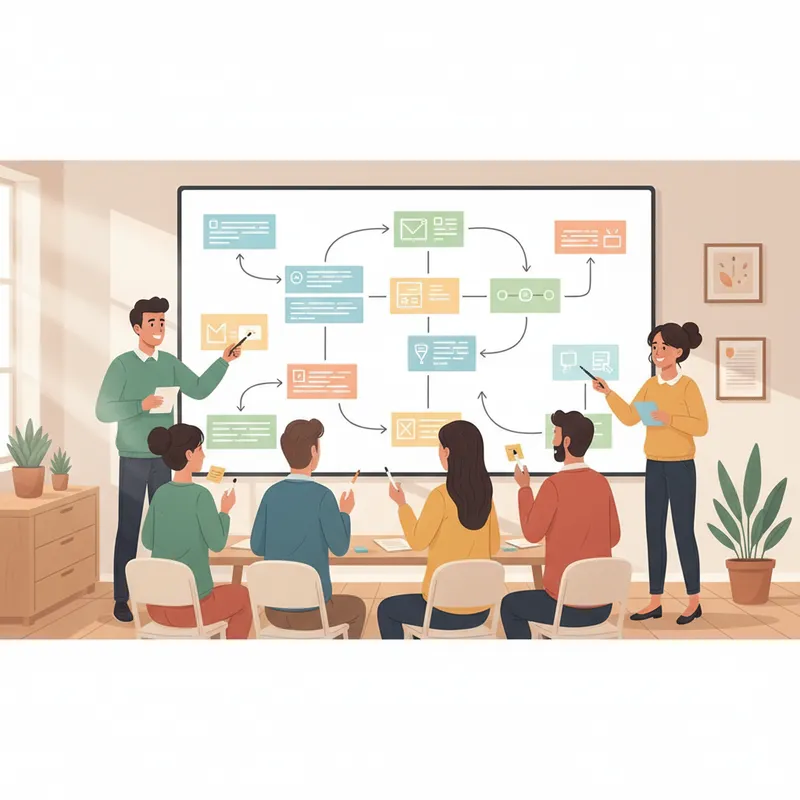
Many teams attempt workflow automation with high expectations but stumble on execution details. Common pitfalls include poor data quality, weak testing, lack of rollback mechanisms, and insufficient governance. The antidote is disciplined engineering practices and clear policies.
Avoid brittle integrations by building abstraction layers and testing connectors thoroughly. Do not let agent outputs trigger irreversible actions without validation. Use approval gates for high-risk operations. Ensure there are manual overrides and clear incident procedures.
Watch for logic sprawl. Too many decision rules and agent behaviors can become unmaintainable and unpredictable. Periodically audit and consolidate logic. Remove rules that are no longer needed. Keep the system comprehensible.
Avoid over-personalizing. More personalization is not always better. Too many variations can confuse users and make it harder to maintain the system. Consolidate personalization logic into centralized decision services so you can reason about trade-offs.
Conclusion
Orchestrating personalized workflows at scale is a practical capability that founder-led teams can deploy in weeks, not years. Start with a clear business case: identify a workflow that causes friction or takes too much time. Measure the current state. Build a simple prototype that automates the hardest part. Measure the improvement. Expand from there.
The foundation is an orchestration runtime that coordinates data, decisions, and actions. Pair it with a decisioning layer that validates agent outputs. Add governance that enforces consent, compliance, and escalation rules. Implement observability so you can see what is happening and debug problems quickly.
Organize teams with a central platform that provides primitives and guidance while empowering product and operations teams to build and iterate. Use phased rollouts, canary releases, and A/B testing to reduce risk. Measure what matters: business outcomes, not just technical metrics.
Governance is not optional. It is the foundation that lets you scale automation confidently. When you can explain every decision, audit every action, and override when needed, you can move fast without breaking things.
Start small. Pick one high-impact workflow. Automate it. Measure the improvement. Document what you learned. Expand to the next workflow. This iterative approach reduces risk and builds confidence across the organization. Over time, you will accumulate a library of reusable blocks and proven patterns that make new workflows faster to build and safer to deploy.
The teams that win are those that treat workflow orchestration as a core capability, not a one-off project. Invest in the platform, the people, and the processes. The payoff is measurable: faster response times, higher quality decisions, reduced manual work, and the ability to scale operations without proportionally scaling headcount.
Next step
Book the Opportunity Sprint